Documentation base URLs use placeholder https://{your-tenant}.sso.id. Log in to show your tenant or custom domain.
Log in for Your Tenant URL
Chapter 8D — White-Label Transactional Email Delivery

Custom SMTP Relay & Email Template Studio

Ensure every invitation, email verification link, password reset, MFA OTP code, and suspicious-login security alert arrives from your own SPF/DKIM/DMARC-verified domain (e.g., [email protected]) via /smtp and /settings.

Deliverability Story: Passing Strict Corporate Email Firewalls

Why Enterprise IT Gateways Block Generic Shared Senders — And How Custom SMTP Fixes It

When CloudPulse invited employees at GlobalBank (@globalbank.com), the bank's Proofpoint/Mimecast firewall flagged external emails that didn't align with CloudPulse's corporate DMARC policy.

By connecting their Amazon SES / SendGrid SMTP credentials in /smtp (and /settings → Email & SMTP), verifying delivery with Send Test Email (POST /api/smtp/test), and customizing the HTML templates (PUT /api/settings/tenant/email-templates), CloudPulse achieved a 99.8% inbox placement rate with 100% brand consistency.
1. Configuring Your Custom SMTP Relay

Configure your SMTP relay in /smtp or inside /settings → Email / SMTP using any standard SMTP provider (Amazon SES, SendGrid, Postmark, Mailgun, Microsoft 365, Google Workspace):

Flow Diagram Transactional Email Delivery & Testing Pipeline
flowchart LR EV["Identity Event (Invite / OTP / Reset / Alert)"] --> TPL["Render Branded Multilingual HTML Template"] TPL --> SMTP["Outbound SMTP Relay (SES / SendGrid / M365)"] SMTP --> TLS{"STARTTLS / SSL Handshake"} TLS -->|"Success"| INBOX["Recipient Inbox (DKIM / SPF Aligned)"] TLS -->|"Failure"| LOG["Logged to /audit-logs & Error Alert"]
Triggered security events render branded HTML templates and dispatch through your configured SMTP relay, verified with live test emails.
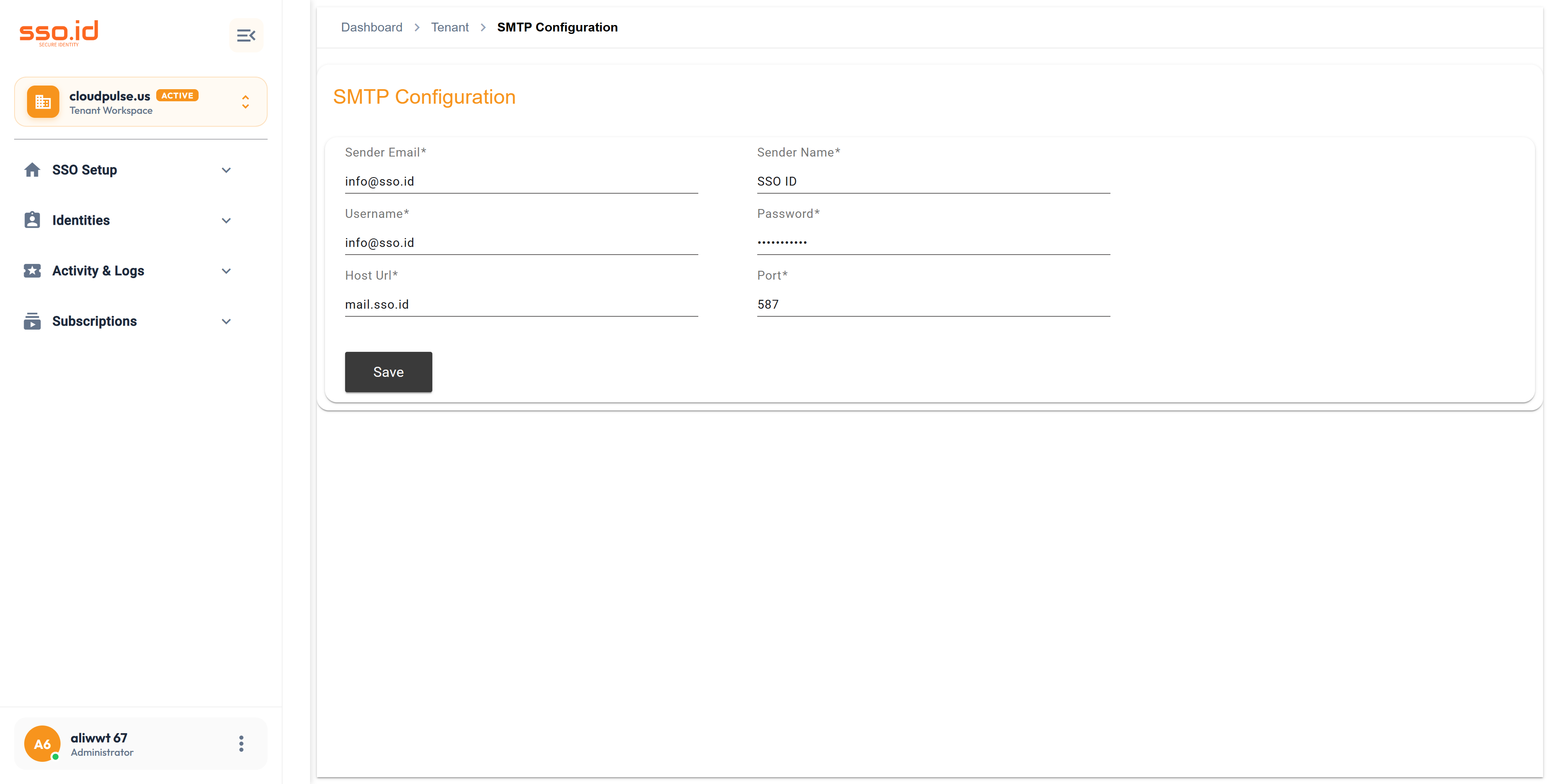
https://cloudpulse.us.beta.sso.id/smtp Click to zoom
Dedicated SMTP Configuration console at /smtp for managing outbound relay host, port, and sender credentials.
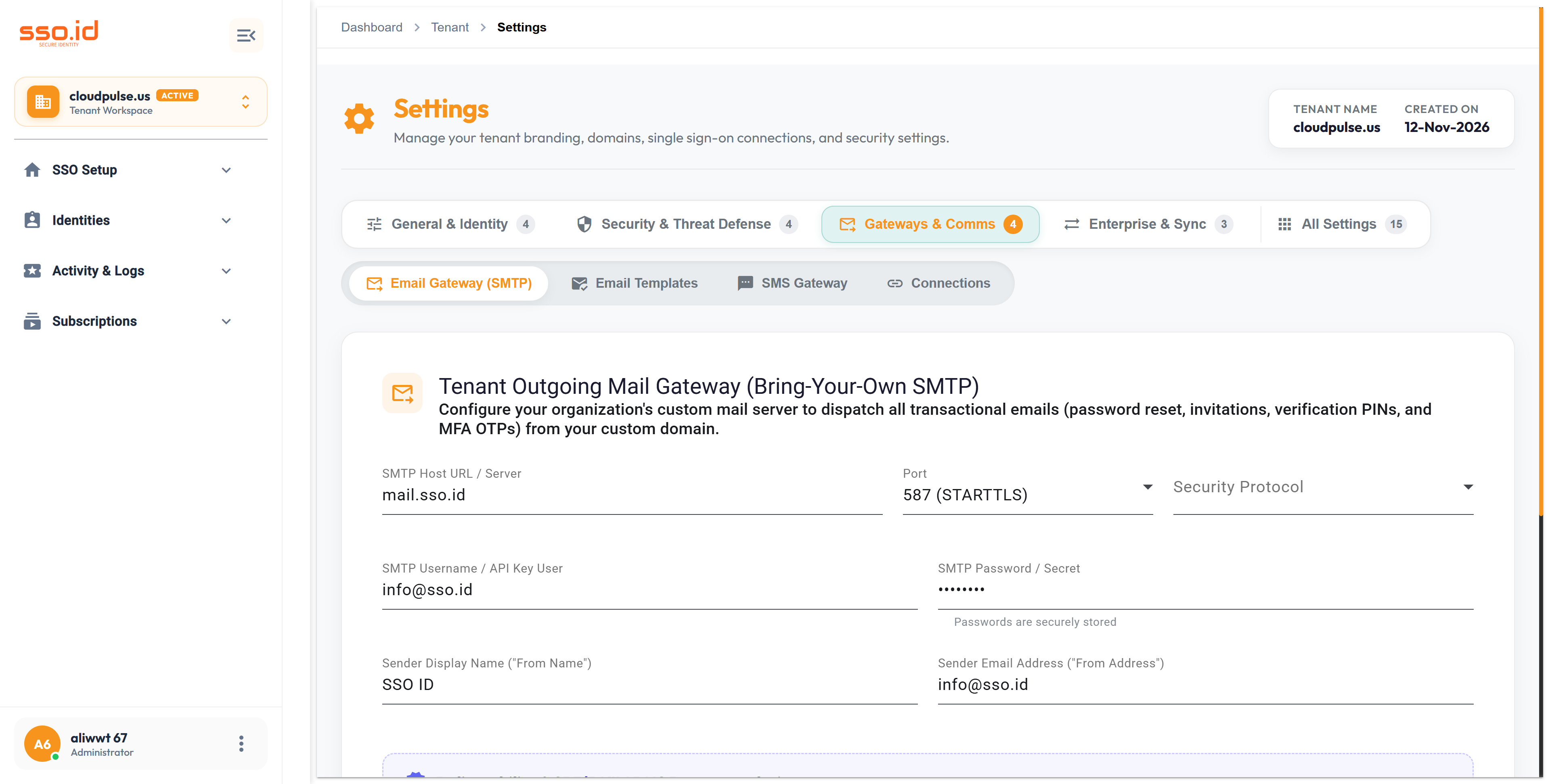
https://cloudpulse.us.beta.sso.id/settings Click to zoom
Tenant Settings — Email Gateway (SMTP) configuration tab with live test email dispatch.
Field Example Value Description
host email-smtp.us-east-1.amazonaws.com or smtp.sendgrid.net Hostname of your outbound SMTP relay server.
port & enableSsl 587 (STARTTLS) or 465 (Implicit TLS) Enforces encrypted TLS transmission between Core.SSO.Id and your mail relay.
username & password apikey / SMTP IAM Credentials Encrypted at rest in SSO.ID's credential store.
fromEmail & fromName [email protected] / CloudPulse Security Sender identity displayed in the recipient's inbox.

2. Customizing Transactional HTML Email Templates

In /settings → Email Templates (GET / PUT /api/settings/tenant/email-templates), you can customize the Subject Line and HTML Body for every identity lifecycle event using dynamic Mustache/Handlebars variables ({{UserName}}, {{ActionUrl}}, {{OtpCode}}, {{TenantName}}, {{IpAddress}}):

  • Welcome & Registration Verification Email ({{ActionUrl}}, {{UserName}})
  • User & Tenant Member Invitation Email ({{InviteUrl}}, {{InviterName}}, {{TenantName}})
  • Forgot Password / Password Reset Email ({{ResetUrl}}, {{ExpiryMinutes}})
  • Multi-Factor Authentication (MFA) Email OTP ({{OtpCode}}, {{ExpiryMinutes}})
  • Suspicious Login / New Device Security Alert ({{IpAddress}}, {{DeviceBrowser}}, {{Timestamp}})

3. SMTP & Email Templates REST API Reference & AI Prompt

Method Endpoint Description
GET / POST / PUT https://{your-tenant}.sso.id/api/smtp Retrieves, creates, or updates custom SMTP configurations (DELETE /api/smtp/{id} removes).
POST https://{your-tenant}.sso.id/api/smtp/test Dispatches a live test email to verify SMTP credentials and TLS handshake (also available at POST /api/settings/tenant/smtp).
GET / PUT https://{your-tenant}.sso.id/api/settings/tenant/email-templates Retrieves or saves custom HTML email templates (DELETE resets a template to system default).
AI Agent Prompt Generate Responsive Dark-Mode HTML Email Templates & Sync via /api/settings/tenant/email-templates
You are an email design and IAM automation engineer. Generate a set of responsive, inline-CSS HTML email templates for **SSO.ID v2** (Welcome Verification, User Invitation, Password Reset, MFA OTP Code, and Security Alert) preserving placeholders `{{UserName}}`, `{{ActionUrl}}`, `{{OtpCode}}`, and `{{TenantName}}`, and write a Node.js/TypeScript script that deploys them to our tenant via `PUT https://{your-tenant}.sso.id/api/settings/tenant/email-templates` and tests delivery via `POST https://{your-tenant}.sso.id/api/smtp/test`.