Documentation base URLs use placeholder https://{your-tenant}.sso.id. Log in to show your tenant or custom domain.
Log in for Your Tenant URL
Chapter 7B — Dynamic Navigation & UI Permission Trees

Application Pages (Hierarchical Menu Builder)

Model your application's entire sidebar, sub-menus, routes, and icons in /app-pages (or inside each Application's Menus tab). Link backend API endpoints to pages, assign granular view / add / update / delete permissions per Role, and render your frontend navigation dynamically from a single API call.

Frontend Architecture Story: Deleting 1,400 Lines of Hardcoded Sidebar Permission Logic

How CloudPulse Made Their Angular & React Sidebars 100% Data-Driven

Before SSO.ID v2, CloudPulse maintained a massive sidebar-items.ts file filled with nested allowedRoles: ['SuperAdmin', 'FinanceManager', 'BillingAuditor'] arrays. Every time an enterprise customer asked for a custom role, developers had to edit sidebar-items.ts and redeploy the frontend.

By registering their application's navigation tree in SSO.ID v2 App Pages ( /app-pages & /api/applications/{id}/menus), CloudPulse's frontend now fetches the authenticated user's permitted menu tree at login time and automatically renders only the parent/child pages the user has view access to — while passing add, update, and delete flags directly to page components.
1. How the Hierarchical App Pages Tree Works

Parent Modules & Nested Sub-Pages

Each App Page record supports a parentId (allowing multi-level nesting), name, url / route path (e.g., /billing/invoices), icon class, displayOrder, and active status.

4-Action CRUD Matrix per Page

Once created, every page automatically appears in Role Management (/role-management) with four independent permission toggles: View, Add, Update, and Delete.

Flow Diagram Dynamic Navigation Delivery & Enforcement Flow
flowchart LR DEF["Define Pages & APIs (/app-pages)"] --> RBAC["Assign CRUD Matrix in /role-management"] RBAC --> AUTH["User Signs In (Auth.SSO.Id)"] AUTH --> JWT["Issue JWT containing authorized menu tree & api scopes"] JWT --> SPA["Frontend SPA: Renders authorized navigation tree"] JWT --> API["Backend API: Validates endpoint permission claims"]
App Pages model your frontend application's navigation tree and API endpoints, filtering menus by user role and embedding them into JWT tokens.
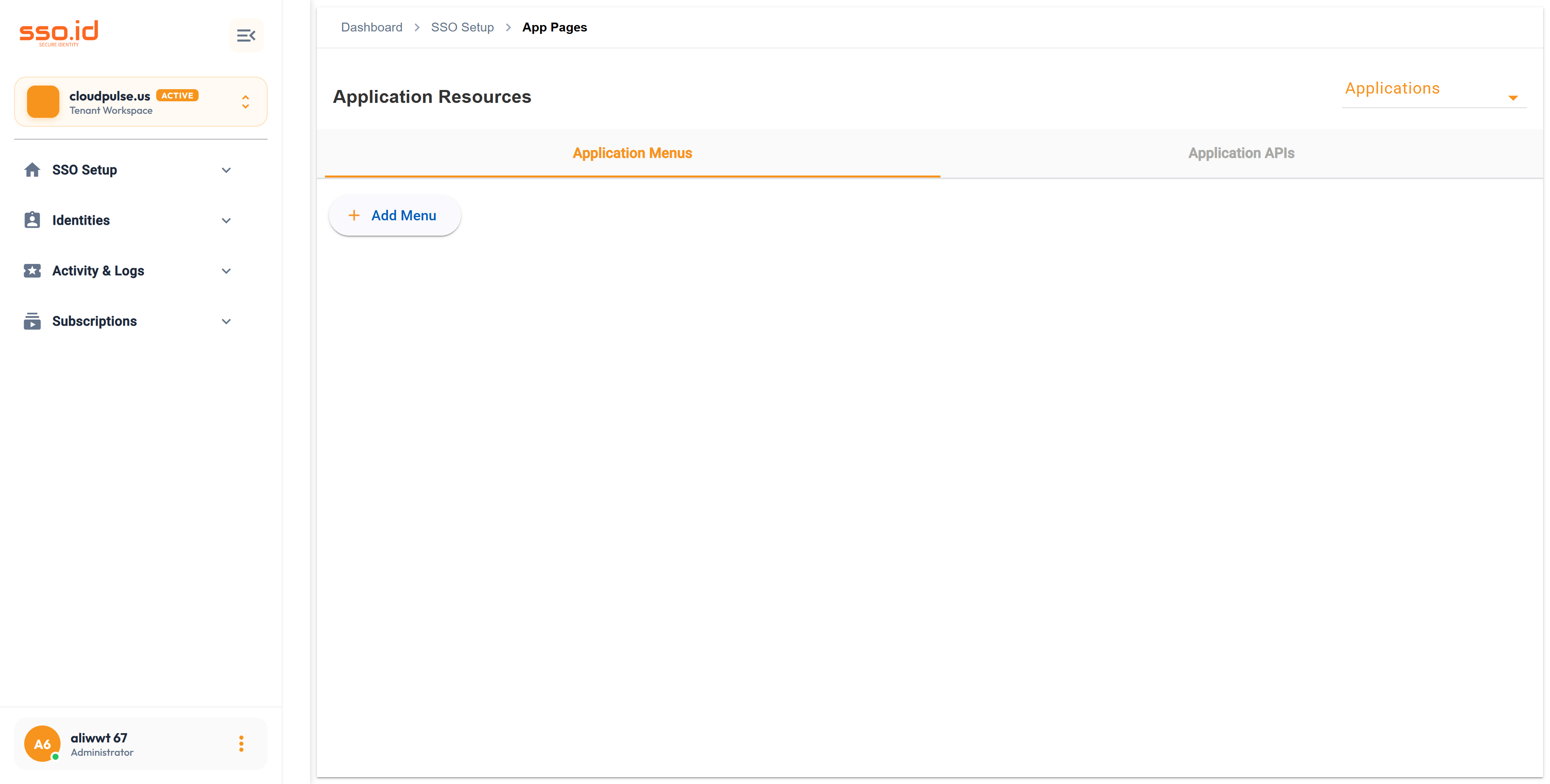
https://cloudpulse.us.beta.sso.id/app-pages Click to zoom
Application Resources console at /app-pages for managing Application Menus and Application APIs.

2. Step-by-Step: Creating App Pages in the Admin Console

1

Select Your Target Application in /app-pages

Navigate to /app-pages (or open an Application in /applications → App Menus tab) and choose the Application whose navigation structure you want to manage.

2

Create Root Modules & Child Pages (POST /api/applications/{id}/menus)

Click Add Page to create a top-level navigation group (e.g., Financial Operations) or select a Parent Page to nest child routes (e.g., Invoices, Refunds, Tax Ledgers).

3

Assign Role Permissions in /role-management

Open /role-management, select a Role, and check View, Add, Update, or Delete on your newly created App Pages (PUT /api/roles/{roleId}/applications/{appId}/menu-access).

3. Linking Backend Application APIs to App Pages

In SSO.ID v2, you can also register the backend microservice endpoints that power each page via /api/applications/{id}/apis (e.g., linking POST /v1/invoices to the Invoices page) so administrators can manage both UI visibility and backend API authorization in tandem.