Documentation base URLs use placeholder https://{your-tenant}.sso.id. Log in to show your tenant or custom domain.
Log in for Your Tenant URL
Chapter 5B — Cohorts & Bulk Access Control

Group Management & Automated Group Sync

Organize users into logical cohorts — such as Platform-Engineering, EMEA-Sales, or Tier-3-Support — in /groups. Grant an entire Group access to Applications, link Groups to B2B Organizations and Organization Units, or synchronize Groups automatically via SCIM 2.0 and OIDC/SAML claims.

Operations Story: Onboarding 120 New Engineers on Acquisition Day

How User Groups Eliminated 600 Manual Application Assignments

When CloudPulse acquired a 120-person AI startup, every incoming engineer needed immediate access to 5 internal applications (Git Portal, CI/CD Dashboard, Staging Console, Observability, and Internal Wiki).

Instead of making 600 manual user-to-application assignments, CloudPulse's IT admin created a single Core-Engineering Group in /groups, linked those 5 Applications to the group (POST /api/groups/{id}/applications/{applicationId}), and synced the 120 engineers into the group via SCIM 2.0 (POST /api/scim/v2/Groups). All 5 applications appeared in every engineer's End-User App Launcher instantly.
1. Architectural Distinction: Groups vs. Roles in SSO.ID v2

User Groups (/groups) — "Who You Are"

Groups represent organizational teams, cohorts, or external IdP security groups (e.g., DevOps-Team, Finance-Dept). Linking a Group to an Application, Organization, or Organization Unit grants all members of that group immediate access to that workspace.

RBAC Roles (/role-management) — "What You Can Do"

Roles define fine-grained capabilities inside an Application: which hierarchical App Menus (view, add, update, delete) and which backend Application API endpoints (GET, POST, PUT, DELETE) the user can execute.

Flow Diagram Group Access Assignment & SCIM Sync Flow
flowchart TD IDP["Enterprise IdP (Okta / Entra / Ping) / Admin"] -->|"SCIM 2.0 or Console"| G["User Group (/groups)"] G --> U1["User A"] G --> U2["User B"] G --> U3["User C"] G --> APP1["App 1: CRM Portal"] G --> APP2["App 2: Analytics Suite"] G --> ORG["Organization / OU Scoping"] APP1 --> TOK["Token Claims: groups: ['DevOps', 'US-West']"] APP2 --> TOK
Groups aggregate users and grant bulk access across Applications, Organizations, and OUs, syncing in real time from Okta or Entra ID via SCIM 2.0.
https://cloudpulse.us.beta.sso.id/groups Click to zoom
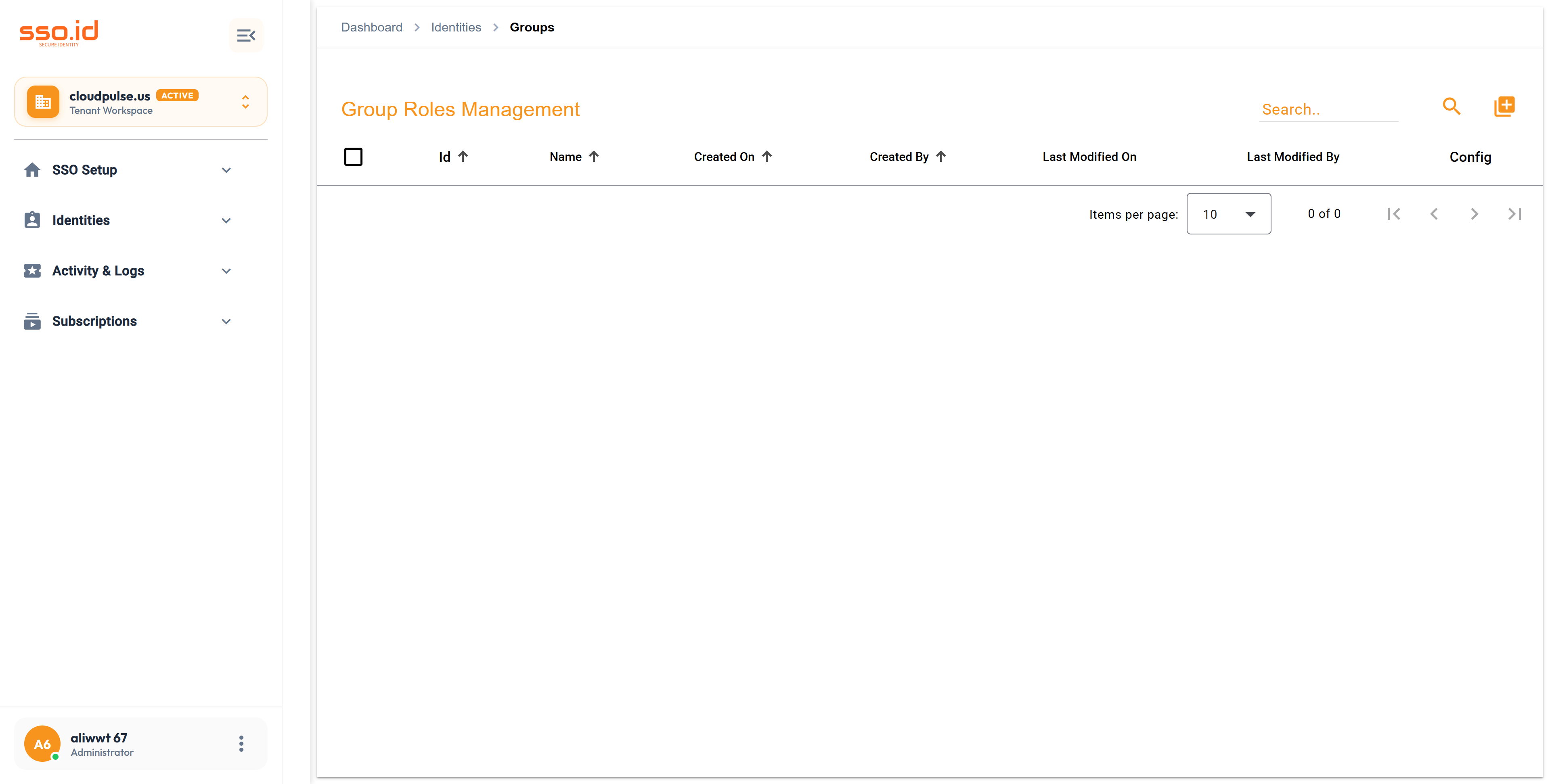
Group Management console at /groups for bulk multi-application access and SCIM 2.0 group mapping.

2. Step-by-Step Group Configuration in the Console

1

Create a Group (POST /api/groups)

Navigate to /groups and click Add Group. Provide a descriptive Group Name and Description.

2

Link Applications & Add Members (POST /api/groups/{id}/users)

Open the Group Setting Dialog to toggle which Applications this Group can access (POST / DELETE /api/groups/{id}/applications/{applicationId}) and add or remove directory users (POST /api/groups/{id}/users & DELETE /api/groups/{id}/users/{userId}).

3

Attach Groups to B2B Organizations & Organization Units

Groups can also be linked directly to B2B Customer Organizations (POST /api/organizations/{id}/groups) and sub-department Organization Units (POST /api/organization-units/{id}/groups).

3. Automated Group Synchronization (SCIM 2.0 & Federation)

  • SCIM 2.0 /Groups Endpoint: External directories (Okta, Microsoft Entra ID, JumpCloud) can create, rename, update member arrays, and delete groups automatically via GET / POST / PUT / DELETE https://{your-tenant}.sso.id/api/scim/v2/Groups.
  • IdP Group Mapping in /connections: Map incoming SAML 2.0 AttributeStatement group values or OIDC groups claims directly to SSO.ID Groups during federated login.

4. Group Management REST API Reference

Method Endpoint Description
GET / POST https://{your-tenant}.sso.id/api/groups Lists all groups in the tenant or creates a new group (PUT / DELETE /api/groups/{id}).
GET https://{your-tenant}.sso.id/api/groups/users Retrieves group member mappings (GET /api/groups/application-users returns app-scoped group users).
POST / DELETE https://{your-tenant}.sso.id/api/groups/{id}/applications/{applicationId} Grants or revokes a Group's access to a specific Application.
POST / DELETE https://{your-tenant}.sso.id/api/groups/{id}/users Adds users to a Group or removes a specific user (DELETE /api/groups/{id}/users/{userId}).
GET / POST / PUT https://{your-tenant}.sso.id/api/scim/v2/Groups RFC 7643 / 7644 SCIM 2.0 Group provisioning endpoints.
AI Agent Prompt Automate Team Cohort Provisioning & Bulk Application Access via /api/groups
You are an identity automation engineer. Write a provisioning module that manages **User Groups and Bulk Application Assignments** in **SSO.ID v2** (`https://{your-tenant}.sso.id/api`).

Implement a function `provisionTeamGroup(groupName, description, applicationIds, memberUserIds)` that:
1. Creates the group via `POST https://{your-tenant}.sso.id/api/groups` (`{ name: groupName, description }`).
2. Grants the group access to each application in `applicationIds` via `POST https://{your-tenant}.sso.id/api/groups/{groupId}/applications/{appId}`.
3. Adds the initial cohort of users via `POST https://{your-tenant}.sso.id/api/groups/{groupId}/users`.
4. Includes a helper `syncScimGroup(groupId, displayName, memberIds)` using `PUT https://{your-tenant}.sso.id/api/scim/v2/Groups/{groupId}` with schema `urn:ietf:params:scim:schemas:core:2.0:Group`.