Documentation base URLs use placeholder https://{your-tenant}.sso.id. Log in to show your tenant or custom domain.
Log in for Your Tenant URL
Chapter 6B — Sub-Departments & Regional Branches (Tier 4 Cascade)

Organization Units (OUs) & Department-Level Governance

Large enterprise customers rarely have a flat directory. Use Organization Units ( /organization-units) to subdivide a B2B Organization into departments, subsidiaries, or regional branches — each capable of overriding Branding, Security, Tokens, MFA, and Identity Connections at Tier 4 of the Policy Inheritance Cascade.

Enterprise Architecture Story: GlobalBank's Trading Desk vs. Seasonal Contractors

Why One Organization Policy Wasn't Enough for GlobalBank

After onboarding GlobalBank Corp as an Organization (/organizations), GlobalBank's CISO came back with a nuanced requirement:

  • OU 1 — GlobalBank Institutional Trading Desk: Must authenticate via hardware FIDO2 YubiKeys + TOTP step-up (requireMultipleFactors: true), restricted to the bank's New York & London office IP ranges, with 10-minute access tokens.
  • OU 2 — GlobalBank External Audit Contractors: Authenticate via a separate Contractor Okta SAML domain (assignToOrganizationUnitOnly: true) using Email + Authenticator App MFA.
Solved at Tier 4: CloudPulse created two Organization Units under the GlobalBank Organization in /organization-units. Both OUs inherited GlobalBank's co-branded logo and theme from Tier 3, while overriding only their specific MFA, IP geofencing, and IdP connection rules at Tier 4.
1. How Tier-4 Organization Unit Inheritance Works

When a login request includes organizationUnitId, SSO.ID evaluates settings using the 4-Tier Cascade:

Automatic Upward Inheritance

If an Organization Unit leaves overrideBranding = false, it automatically inherits the parent Organization's branding (or the Application/Tenant branding if the Organization also inherits).

Surgical Department Overrides

Toggle overrideGeneral, overrideBranding, overrideSecurity, overrideTokens, or overrideMfa on the Organization Unit to customize policies exclusively for that department.

Flow Diagram Tier-4 Sub-Department Policy Inheritance Flow
flowchart TD T["Tenant Baseline (/settings)"] --> APP["Application (/applications)"] APP --> ORG["Parent B2B Organization (/organizations)"] ORG --> OU1["Default Department OU (Full Inheritance)"] ORG --> OU2["High-Security OU (overrideMfa = true, FIDO2 Mandatory)"] ORG --> OU3["Contractor OU (overrideTokens = true, 1-Hour Token Max)"] OU1 --> TOK["Effective Claims (org_id + ou_id)"] OU2 --> TOK OU3 --> TOK
Organization Units inherit policies from the Tenant, Application, and parent Organization, selectively overriding department MFA or IdP connections.
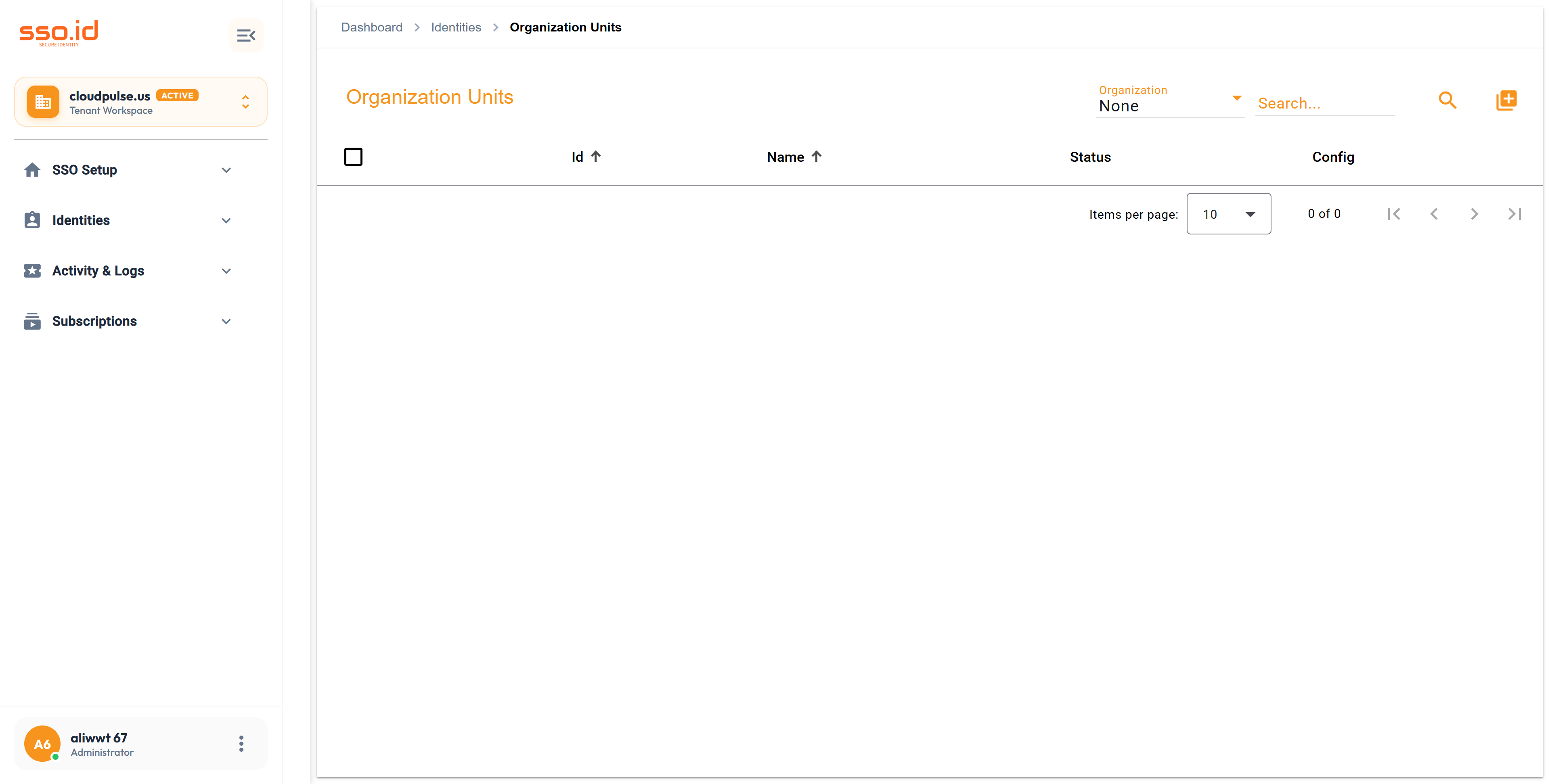
https://cloudpulse.us.beta.sso.id/organization-units Click to zoom
Organization Units console at /organization-units for Tier-4 sub-department and regional policy overrides.

2. Managing Connections, Groups, MFA & Users in an OU

1

Create an Organization Unit (POST /api/organization-units)

Navigate to /organization-units, click Add Organization Unit, select the parent Organization, and enter the OU Name and Description.

2

Assign OU-Exclusive Connections (assignToOrganizationUnitOnly)

In the OU Setting Dialog → Connections tab (POST /api/organization-units/{id}/connections), link department-specific OAuth2/OIDC/SAML connections.

3

Configure OU MFA Factors, Groups & Users

Manage department-level MFA factors (PUT /api/organization-units/{id}/factors), link user cohorts (POST /api/organization-units/{id}/groups), and assign users (POST /api/organization-units/{organizationUnitId}/users).

3. Passing organizationUnitId at Login Time

GET https://{your-tenant}.sso.id/auth/oauth/authorize (With Tier-4 Organization Unit)
https://{your-tenant}.sso.id/auth/oauth/authorize?
  client_id=vvzmXqvkLfnMDtUJPChKn
  &response_type=code
  &redirect_uri=https%3A%2F%2Fapp.cloudpulse.io%2Fcallback
  &scope=openid%20profile%20email%20roles
  &organizationId=6c4a8f12-9b30-4e11-8d2a-112233445566
  &organizationUnitId=9d8e7f6a-5b4c-3d2e-1f0a-998877665544
  &code_challenge=E9Melhoa2OwvFrGMTJgu...
  &code_challenge_method=S256

4. Organization Unit REST API Reference & AI Prompt

Method Endpoint Description
GET / POST https://{your-tenant}.sso.id/api/organization-units Lists all Organization Units or creates a new OU under a parent Organization (PUT / DELETE /api/organization-units/{id}).
GET / POST / DELETE https://{your-tenant}.sso.id/api/organization-units/{id}/connections Manages identity connections assigned to the Organization Unit.
GET / POST / DELETE https://{your-tenant}.sso.id/api/organization-units/{id}/groups Manages user groups linked to the Organization Unit.
GET / PUT https://{your-tenant}.sso.id/api/organization-units/{id}/factors Gets or updates MFA factors enforced for the Organization Unit.
GET / POST / DELETE https://{your-tenant}.sso.id/api/organization-units/{organizationUnitId}/users Manages users and role assignments within the Organization Unit.
AI Agent Prompt Model Multi-Department Hierarchy & OU-Scoped Step-Up Authentication
You are an enterprise IAM architect. Implement a **Department / Division Management Service** using **SSO.ID v2 Organization Units** (`https://{your-tenant}.sso.id/api/organization-units`).

1. Create a backend service method `createHighSecurityDepartment(organizationId, departmentName, allowedIpRanges)` that calls `POST https://{your-tenant}.sso.id/api/organization-units` with `overrideMfa: true`, `requireMultipleFactors: true`, and `overrideSecurity: true`.
2. Enable FIDO2 Passkeys and TOTP on that OU via `PUT https://{your-tenant}.sso.id/api/organization-units/{ouId}/factors`.
3. Create a frontend helper `initiateDepartmentStepUpLogin(organizationId, organizationUnitId)` that redirects the user to `https://{your-tenant}.sso.id/auth/oauth/authorize` with both `organizationId` and `organizationUnitId` query parameters.