Role Management Section in SSO.ID
In SSO.ID v2, Role-Based Access Control (RBAC) allows administrators to define fine-grained permission sets and assign them to users or groups. Roles and permissions are embedded directly into signed JWT access tokens as roles and permissions claims, allowing resource APIs to validate authorization without database lookups.
How to add role in application
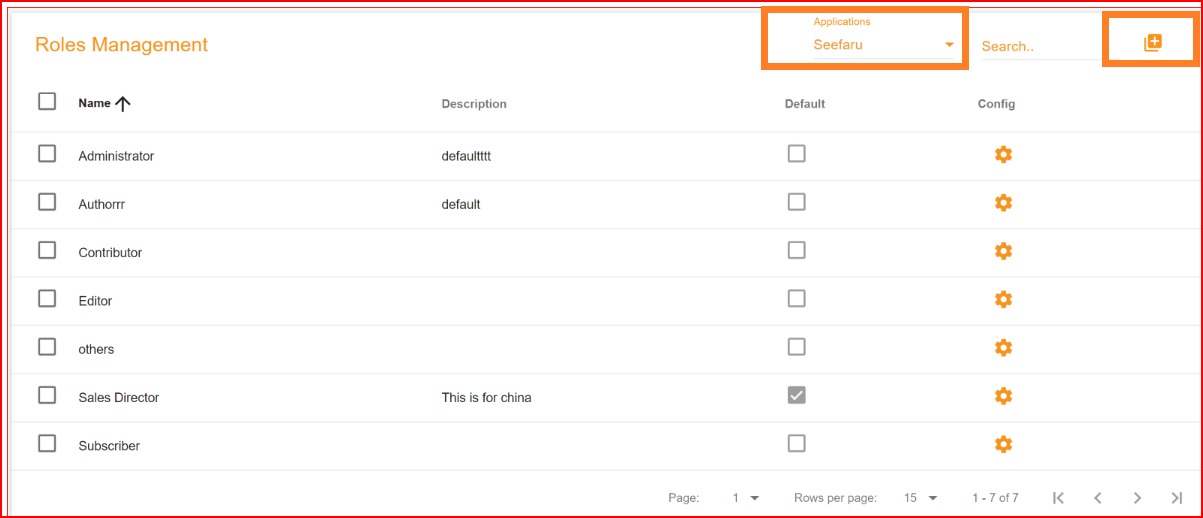
Manage roles via the Angular Console at https://app.sso.id/admin/roles or using Core REST APIs (POST https://api.sso.id/api/role). Choose the target application and click Add Role.
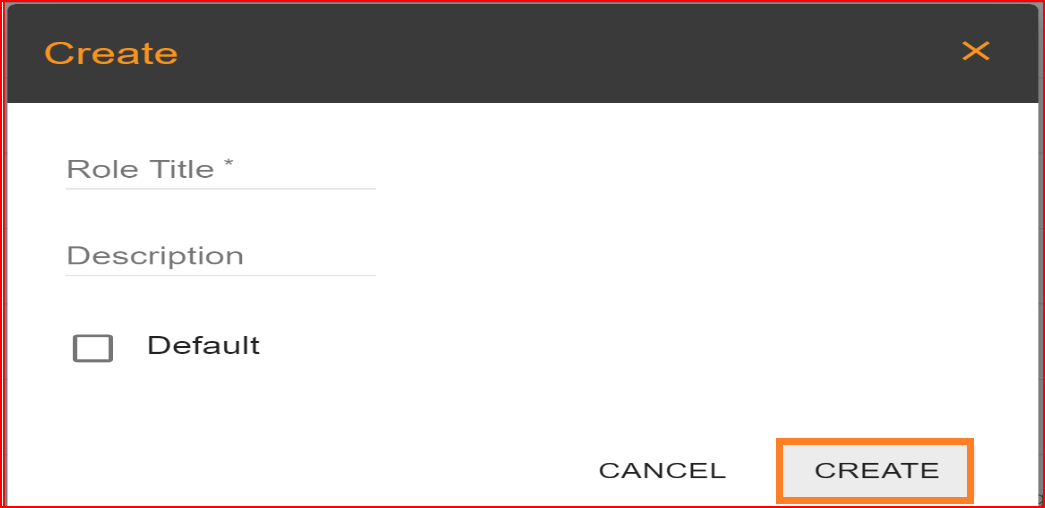
- Role Title: In the role title enter the name of new role.
- Description: Write short description about role.
- Default: If you set this role as the default, it will activate the default checkbox. From now on, every new user in this application will be assigned this role automatically.
After fulfilling these requirements click on the "Create" button. Your role has been successfully added to the application.
Search Role
In SSO.ID, we offer a search bar in the role management section, allowing you to effortlessly search for any record or role.
Config setting
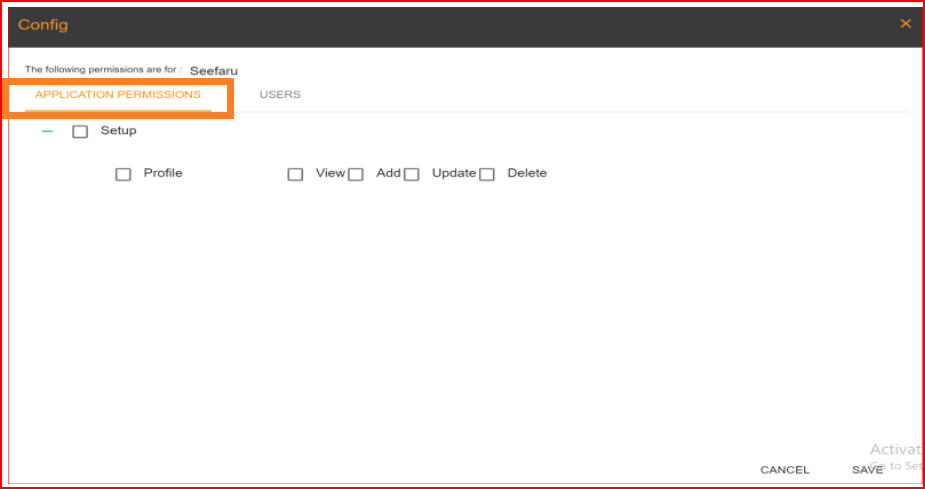
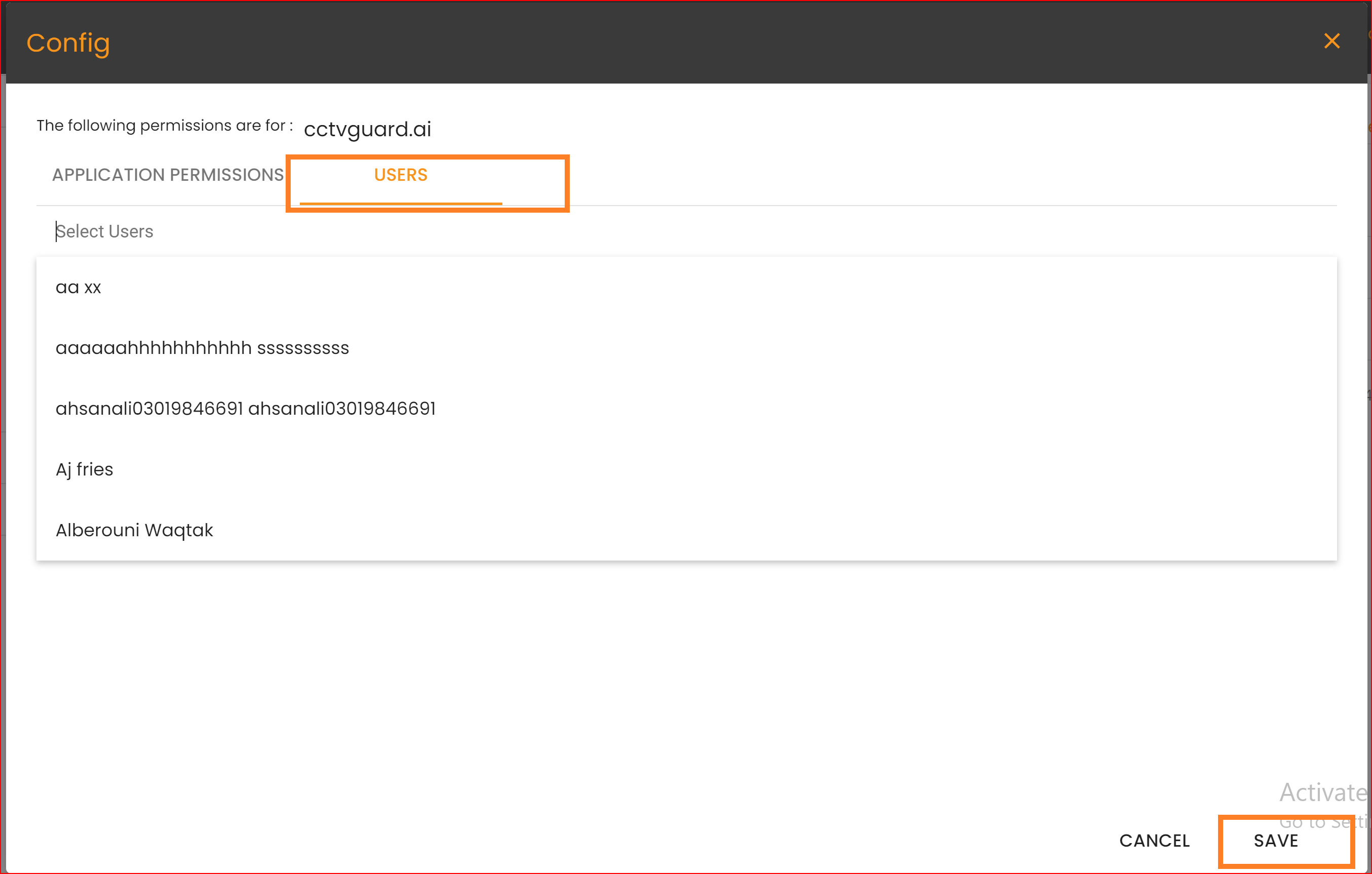
Within the role configuration settings, you can determine which permissions are permitted for each application.
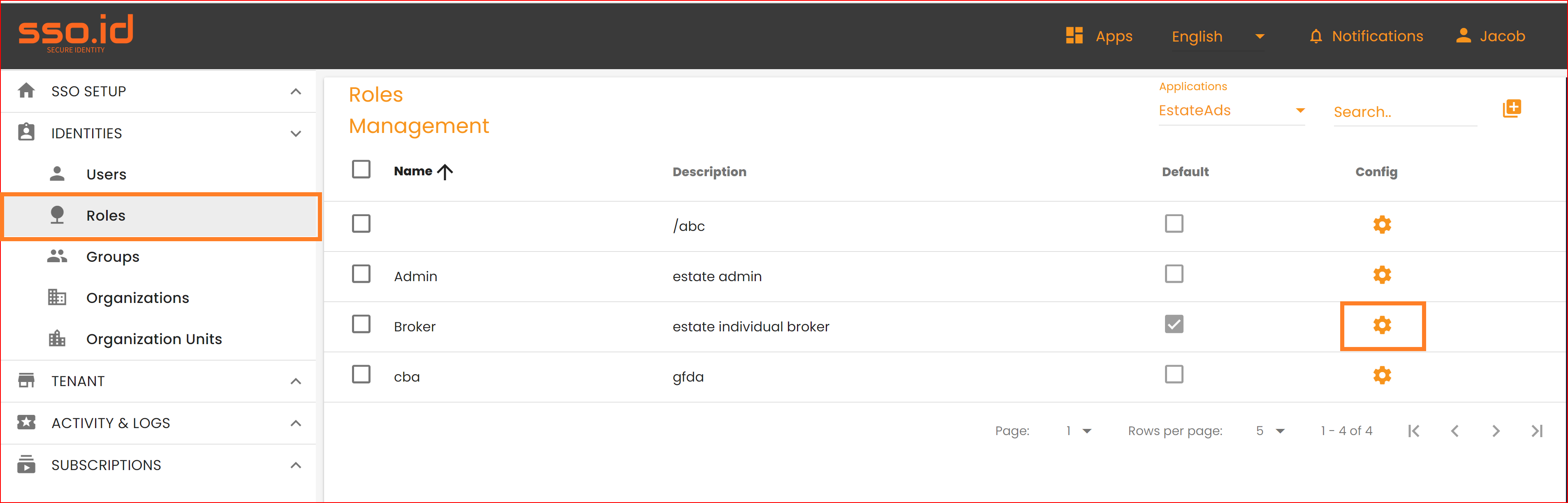
- APPLICATION PERMISSION: In the application permission tab, you can grant permissions to the role for that specific application. This role will then operate within the application based on the granted permissions.
- USERS: In the "Users" tab, you can grant access to the specific users you desire. Select the users you wish to provide access to the selected application.
Update any roles
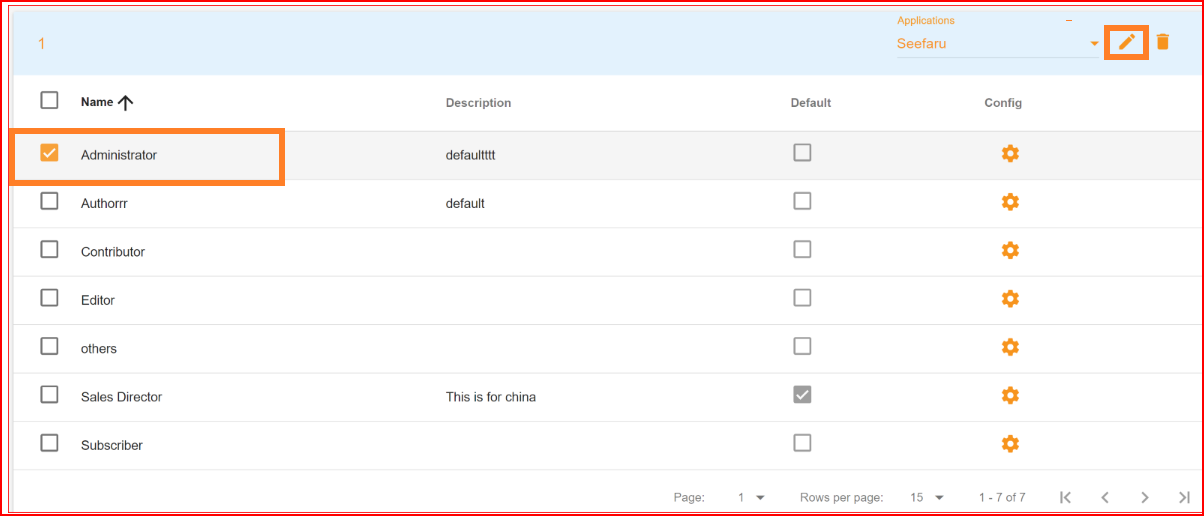
In the role management section, SSO.ID offers a convenient feature for updating application roles. You can effortlessly modify any role by following these steps
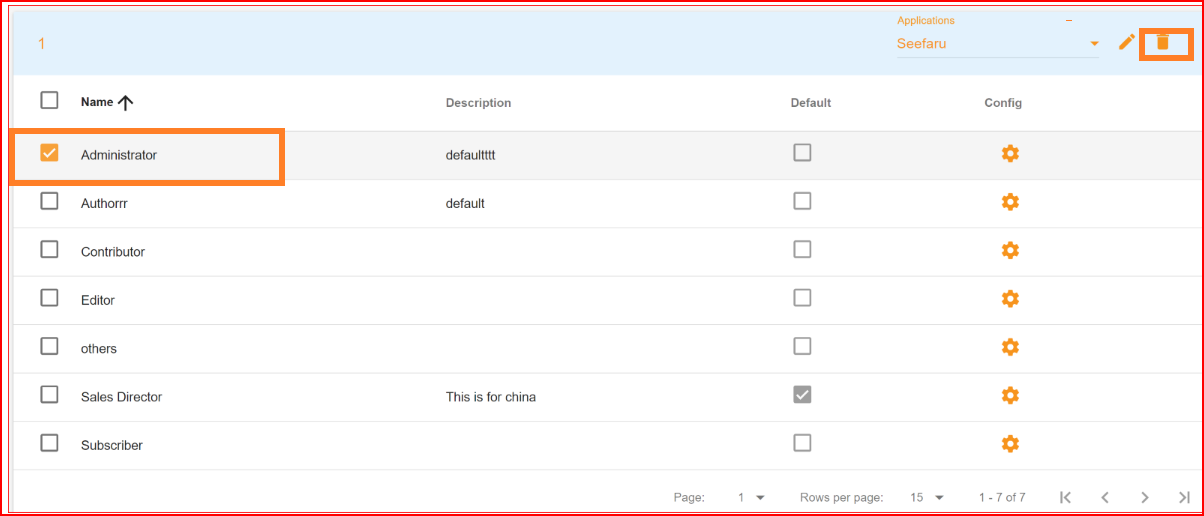
- Simply select the checkbox corresponding to the role you wish to update.
- Then, click on the "Update" button.
- Make the necessary changes to the selected role.
- Finally, save the updated records.
Delete any roles
The SSO.ID platform offers a "Delete" option, allowing you to easily remove any role from any application. Once a role is deleted, it will be permanently removed from the system. To add a new role to any application, follow the provided method for adding a role to the application.