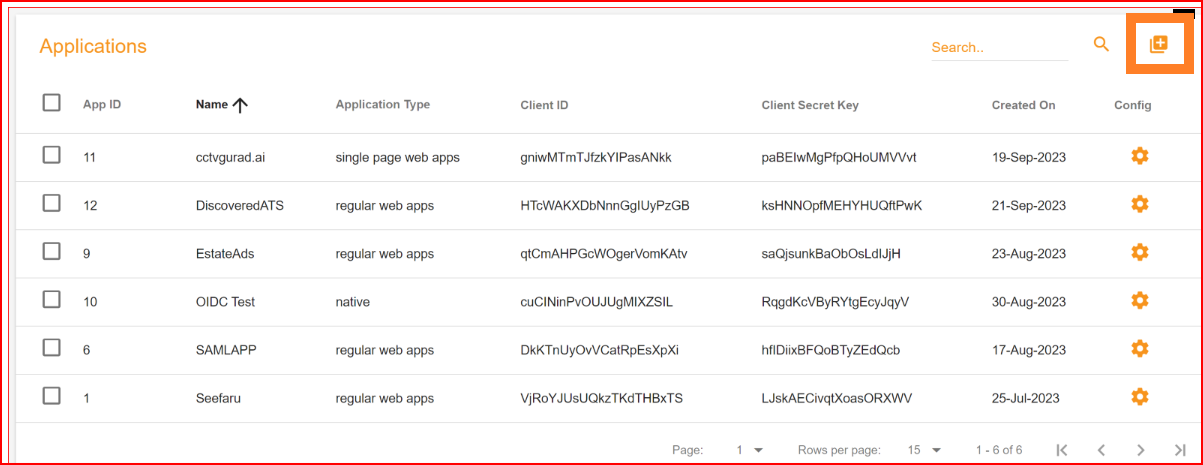
Applications
Single Sign-On (SSO.ID) is a technology that allows a user to log in once and gain access to multiple systems or
applications without the need to re-enter their credentials for each one.
The term
Application
in the context of Single Sign-On (SSO.ID) refers to the client software, web application, mobile app, or API resource that integrates with the SSO.ID solution. In SSO.ID v2, applications are configured within the Angular Developer Console (https://app.sso.id/admin/application) and backed by Core APIs at https://api.sso.id/api/application.
Create an application in SSO.ID v2
Once you've completed registration and signed in to the admin console, navigate to Applications → Create Application. A modal will prompt you to configure your client type and authentication protocol.
Application Type
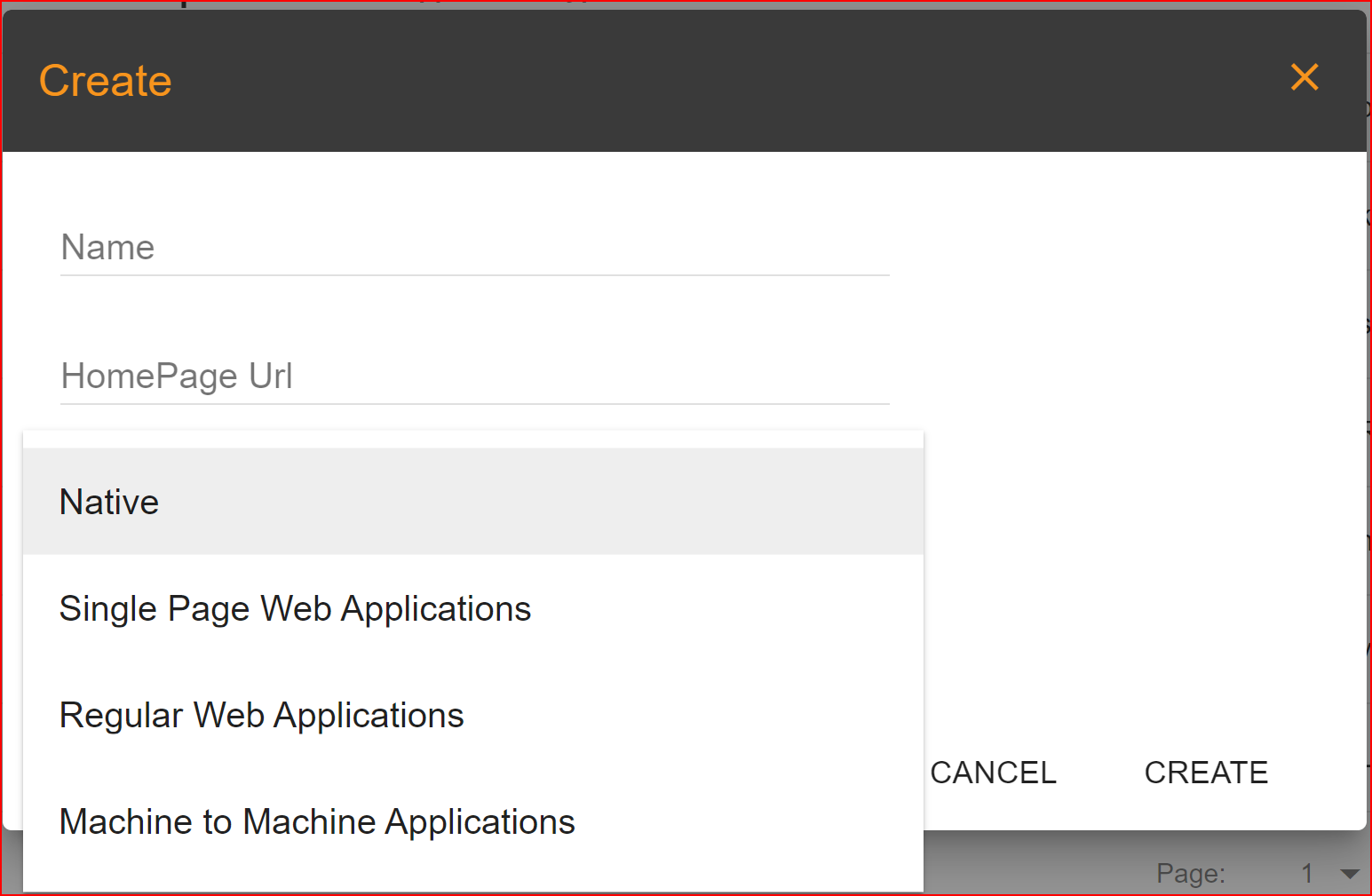
Please choose the type of application that best fits your needs from the four options provided in SSO.ID. We have provided brief explanations for your understanding.
- Native: A native application is a software program developer built for use on a particular platform for device. The two main mobile OS platforms are Apple’s IOS and Google’s Android.
- Single Page Web Applications: A single page web application (SPA) is a type of web application or website that interacts with the user by dynamically rewriting the current web pages rather than loading entire new pages from the server. SPAs load a single HTML page and dynamically update its content as the user interacts with the application.
- Regular Web Applications: Also known as multi-page web application (MPA), is traditional type of web application where each interaction or request from the user typically results in the server sending a completely new HTML page to the browser.
- Machine to Machine Applications: Machine to Machine (M2M) also known as IoT (Internet of Things) applications involve the communication and interactions between interconnected devices systems, or machines without human intervention.
Protocols in SSO.ID
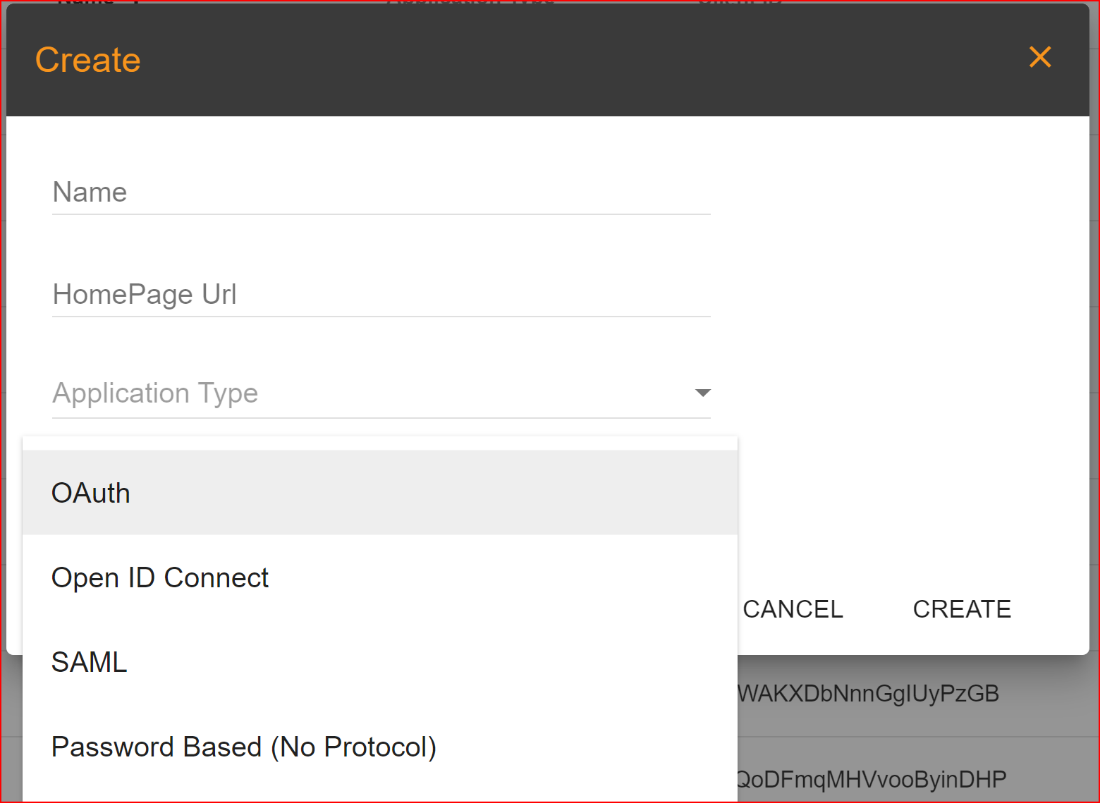
Single Sign-On (SSO.ID) relies on various protocols to facilitate secure authentication and authorization processes between identity providers and service providers. These protocols ensure that users can access multiple applications with a single set of credentials and that these transactions occur securely.
Select Protocol
SSO.ID offers three protocols. Please select the one that is most suitable for your application.
- OAuth Protocol: OAuth (Open Authorization) is an open standard protocol that allows third-party applications to access the resources of a user (such as their data) on a server (often a web service or an API) without exposing the user's credentials (e.g., username and password) to the third-party application. OAuth is commonly used for enabling secure and delegated authorization in various scenarios, such as social media logins, accessing cloud storage, and interacting with web APIs.
- Open ID Connect Protocol: Open ID Connect (OIDC) is an identity layer on top of OAuth 2.0, designed to provide a standardized and secure way for user authentication and authorization in modern web and mobile applications. OIDC combines features of OAuth 2.0 with additional identity-related capabilities to enable Single Sign-On (SSO) and identity federation.
- SAML Protocol: The Security Assertion Markup Language (SAML) is an XML-based open standard protocol used for securely exchanging authentication and authorization data between parties, particularly between an identity provider (IdP) and a service provider (SP). SAML is commonly used in Single Sign-On (SSO) scenarios and federated identity systems.
- Password Based (Direct Auth) Direct authentication against SSO.ID identity repositories using REST endpoints for legacy integrations without redirect flows.
General Configuration with OAuth Protocol
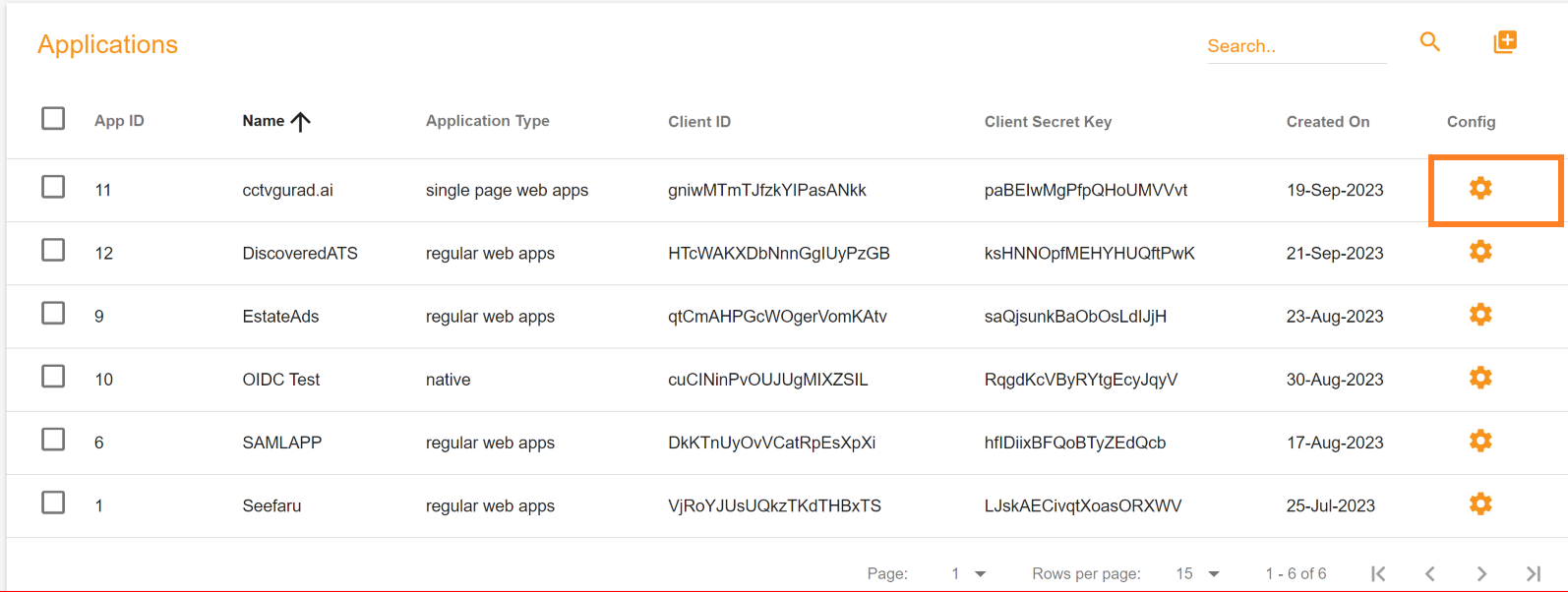
The next step is configuring the settings after successfully creating an application in SSO.ID. Click on the 'Application Config' button. This action will open the general configuration settings dialog on your screen.
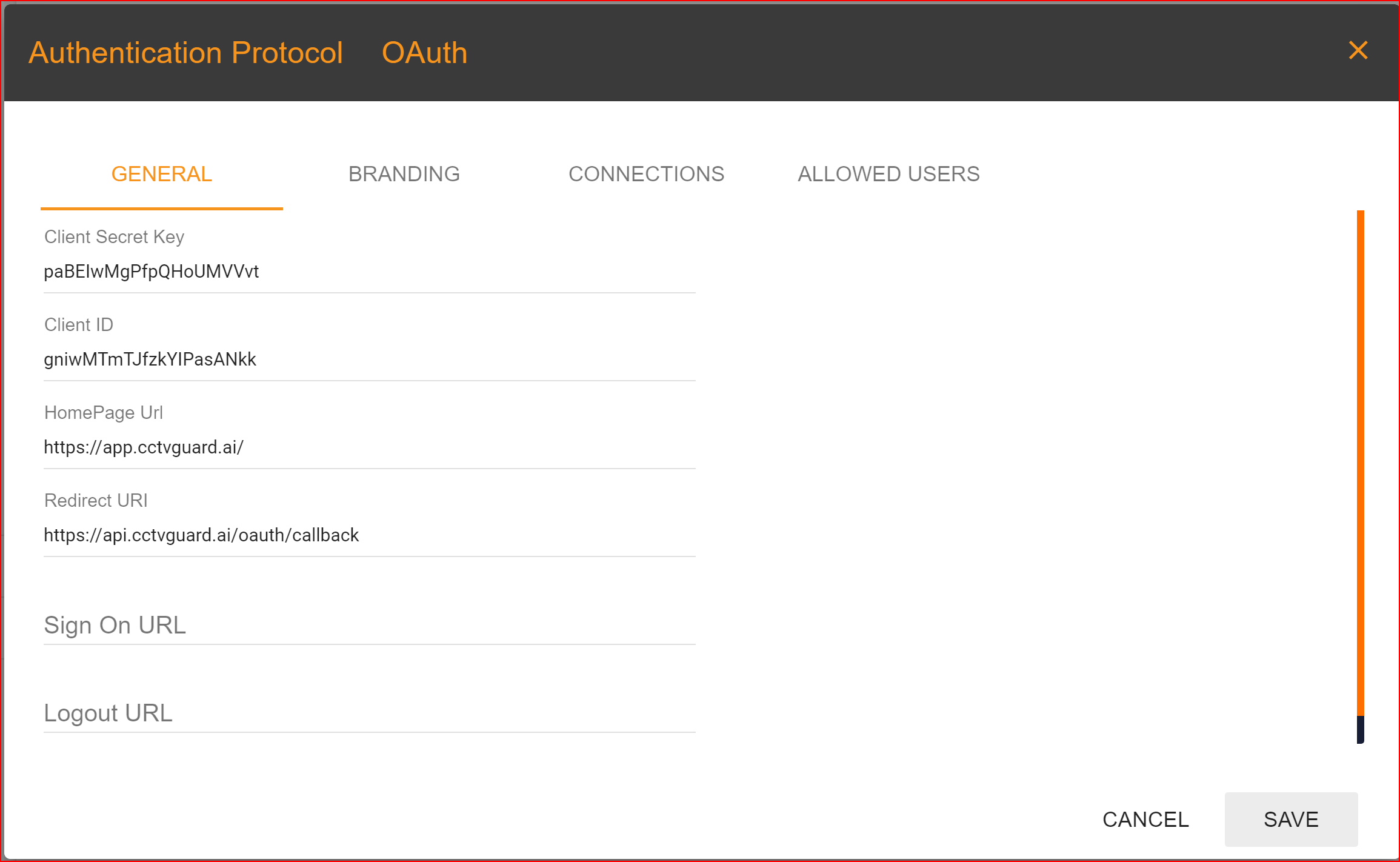
GENRAL
- Client Secret Key: The Client Secret Key is automatically generated by the SSO.ID system.
- Client ID: It is also generated by the system.
- Home Page URL: Clients set this URL, and it should be the complete homepage URL of your website.
- Redirect URI:In the general settings, one of the most important tasks is to configure your redirect URI. This step is necessary and mandatory, so please set your application's redirect URI with great care. In Single Sign-On Identity (SSO.ID) implementations, specifying multiple redirect URIs for an application can be a common practice to accommodate various scenarios such as different environments (development, testing, production), different client types (web, mobile, desktop), or different callback paths within the same application. Within a single application, it is feasible to incorporate multiple redirect URIs, with the initial URI being established as the default option.
- SIGN ON URL: This is an optional URL, it's not mandatory.
- Logout URL: You can provide the logout URL for your website or application, it's also optional.
What is Redirect URI
A Redirect URI (Uniform Resource Identifier) is a crucial component in the context of web applications and authentication protocols like OAuth 2.0. It specifies the location to which an authorization server should redirect the user's browser after the user has granted or denied permissions to the requesting application.
OAuth 2.0 & OpenID Connect Endpoints (v2)
OAuth 2.0 and OpenID Connect in SSO.ID v2 follow RFC 6749 and RFC 7636 (PKCE). The authorization server (https://auth.sso.id) manages login and consent, while the core API (https://api.sso.id) dispenses tokens and public key sets.
OAuth 2.0 Components
Key components in SSO.ID v2:
- Resource Owner: The end user logging into the application.
- Client: Your frontend (SPA), backend web app, or mobile client with its unique Client ID.
- Authorization Server (Auth.SSO.Id):
https://auth.sso.id(or tenant domainhttps://{tenant}.sso.id/auth) issues authorization grants, evaluates MFA, and hosts the login UI. - Resource Server / Token Endpoint (Core.SSO.Id):
https://api.sso.idvalidates authorization codes and signs JWT access tokens. - Access & ID Tokens: Cryptographically signed RS256 JWT tokens verifiable offline via
/api/oidc/jwks.
Configure OAuth 2.0 Protocol in v2
Steps to configure OAuth 2.0:
- Create an application in the SSO.ID Console.
- Assign connections (Google, Microsoft, SAML) and allowed users/roles.
- Redirect users to the Authorization Endpoint:
https://auth.sso.id/oauth/authorize?client_id={{client_id}}&response_type=code&redirect_uri={{your_redirect_uri}}&scope=openid%20profile%20email. - The user logs in at https://auth.sso.id/auth/Account/Login.
- SSO.ID redirects back with an authorization code.
- Your backend exchanges the code for JWT tokens at
POST https://api.sso.id/api/oauth2/token.
SSO.ID v2 Core OAuth Endpoints
- Authorize Endpoint:
https://auth.sso.id/oauth/authorize - Token Endpoint:
https://api.sso.id/api/oauth2/token - JWKS Public Keys:
https://api.sso.id/api/oidc/jwks - UserInfo Profile:
https://api.sso.id/api/oauth2/userinfo - Single Logout:
https://auth.sso.id/oauth/logout
Authorize Endpoint
Direct users to the authorize endpoint with PKCE parameters:
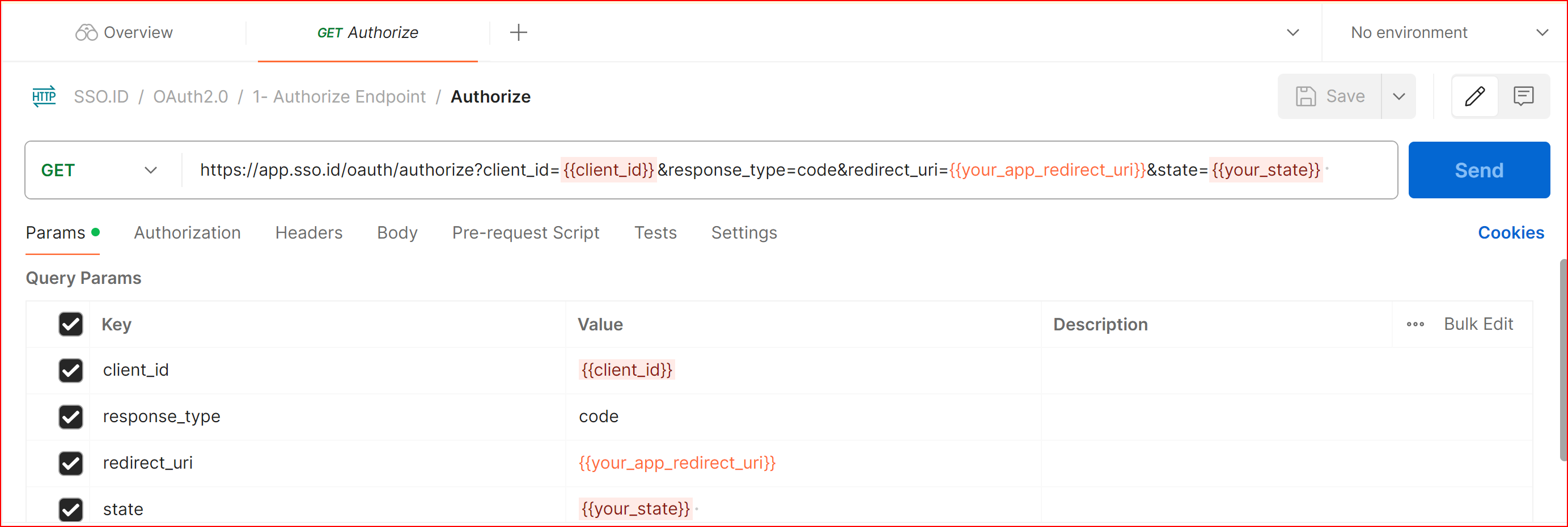
GET Authorize
https://auth.sso.id/oauth/authorize?client_id={{client_id}}&response_type=code&redirect_uri={{your_app_redirect_uri}}&scope=openid%20profile%20email&state={{your_state}}
Returns an authorization code to your specified redirect URI.
Parameters
client_id: Your application Client ID
response_type: code
redirect_uri: Your registered callback URL
scope: openid profile email
state: CSRF protection token
code_challenge: S256 hash for PKCE flows
Token Endpoint
Exchanges authorization code, refresh tokens, or client credentials for signed JWT tokens.
Grant Types
SSO.ID v2 supports standard grant types:
authorization_code(Recommended with PKCE)client_credentials(Machine-to-Machine)refresh_token(Session renewal)password(Resource owner password credentials)
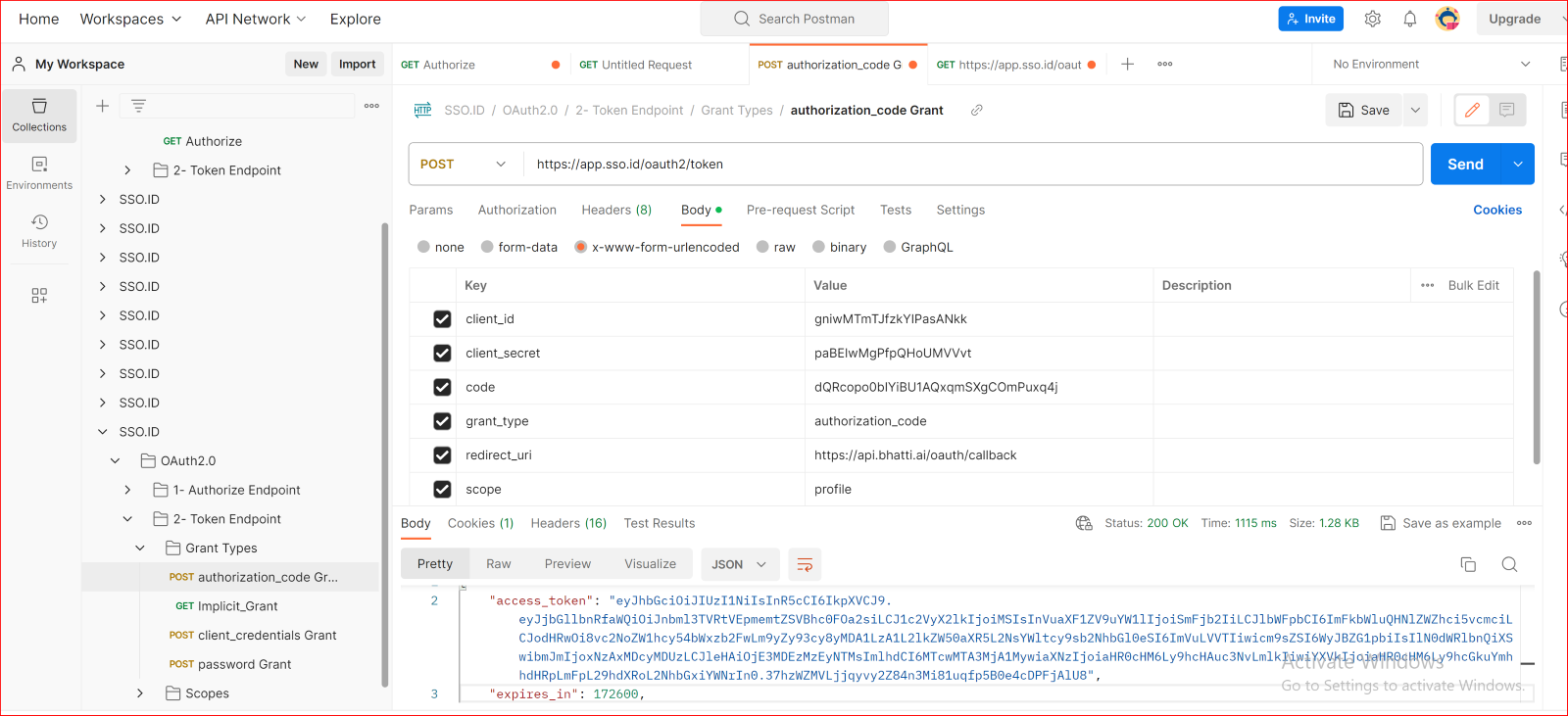
POST authorization_code Grant

Details
Exchanges the authorization code for signed RS256 Access and ID tokens.
Body (application/json or application/x-www-form-urlencoded)
client_id: {{client_id}}
client_secret: {{client_secret}}
code: {{authorization_code}}
grant_type: authorization_code
redirect_uri: {{your_app_redirect_uri}}
scope: openid profile email
Implicit Grant (Deprecated)
The Implicit Grant flow is deprecated in modern OAuth standards due to token exposure in browser URL fragments. Use Authorization Code Grant with PKCE instead.
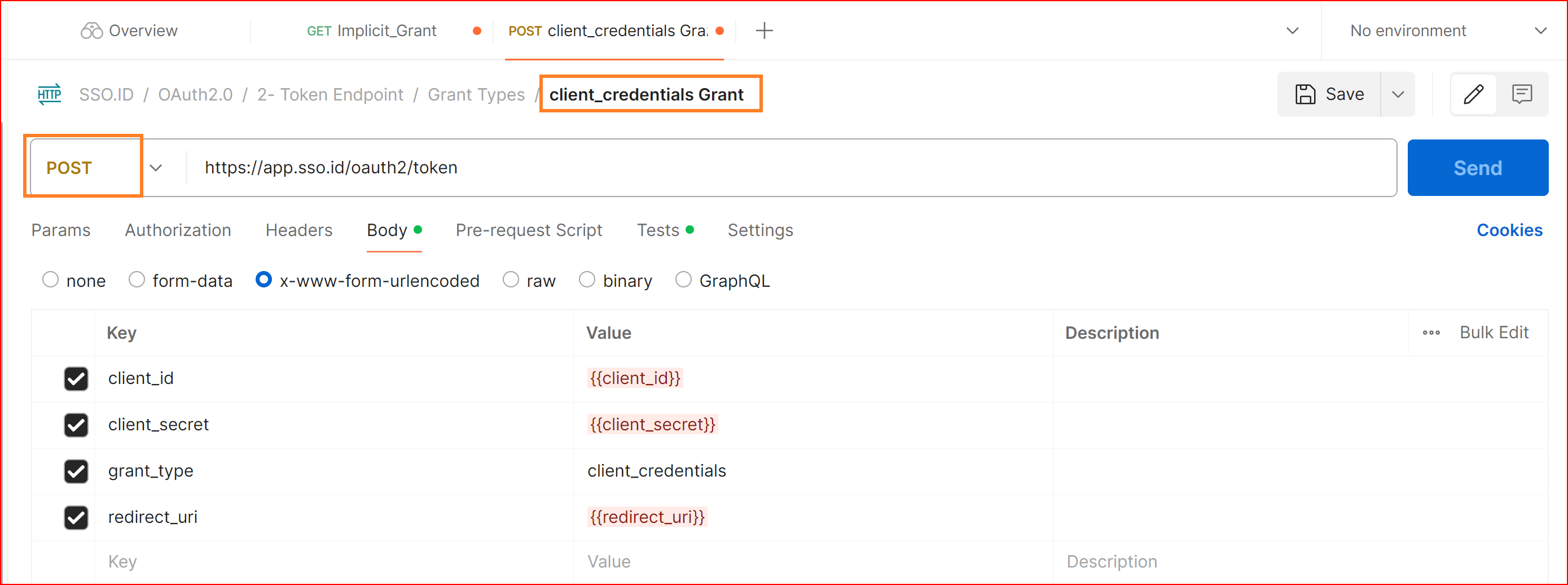
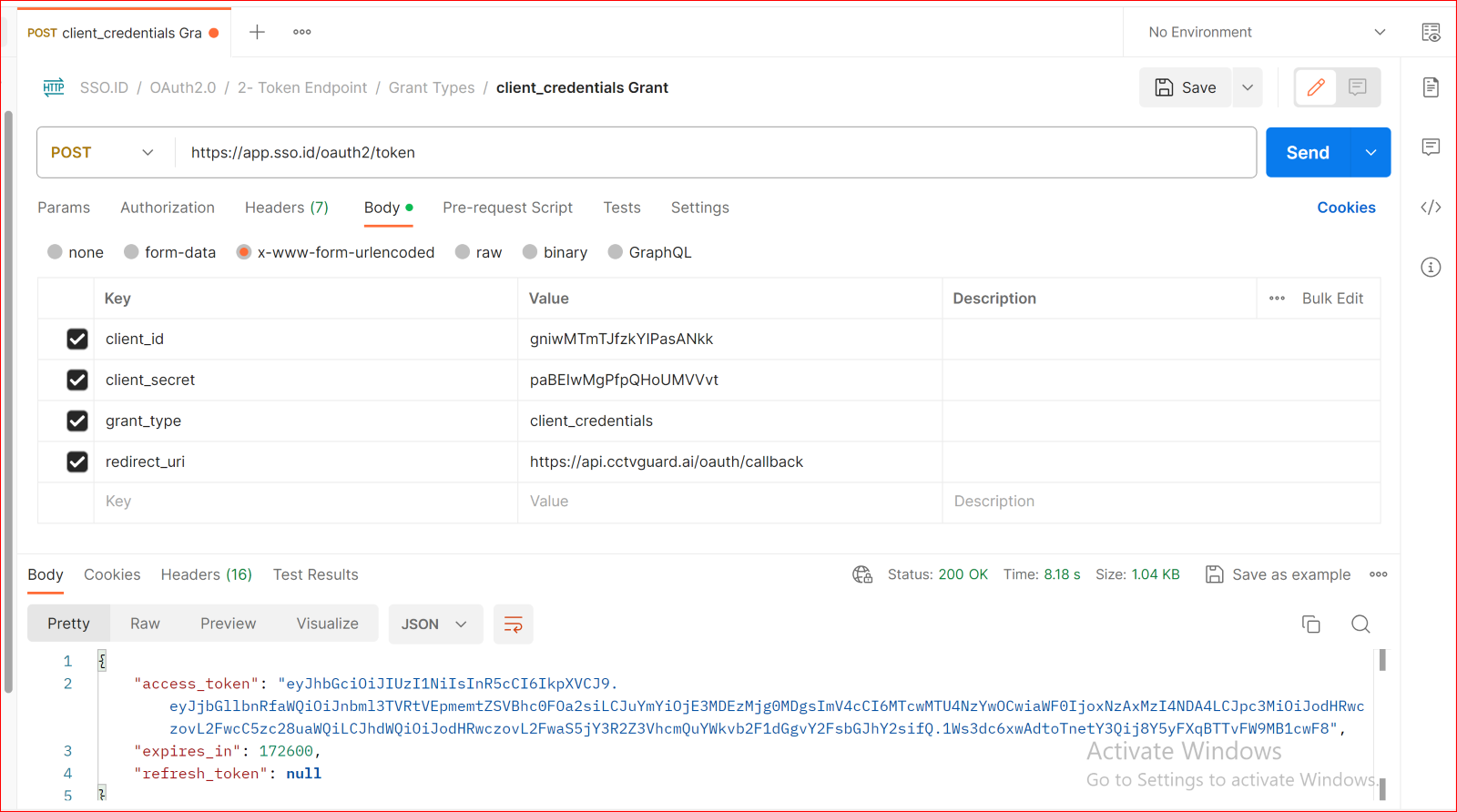
POST Client Credentials Grant
https://api.sso.id/api/oauth2/token
Details
Used for machine-to-machine authentication between backend services without user context.
Body URL encoded
client_id: {{client_id}}
client_secret: {{client_secret}}
grant_type: client_credentials
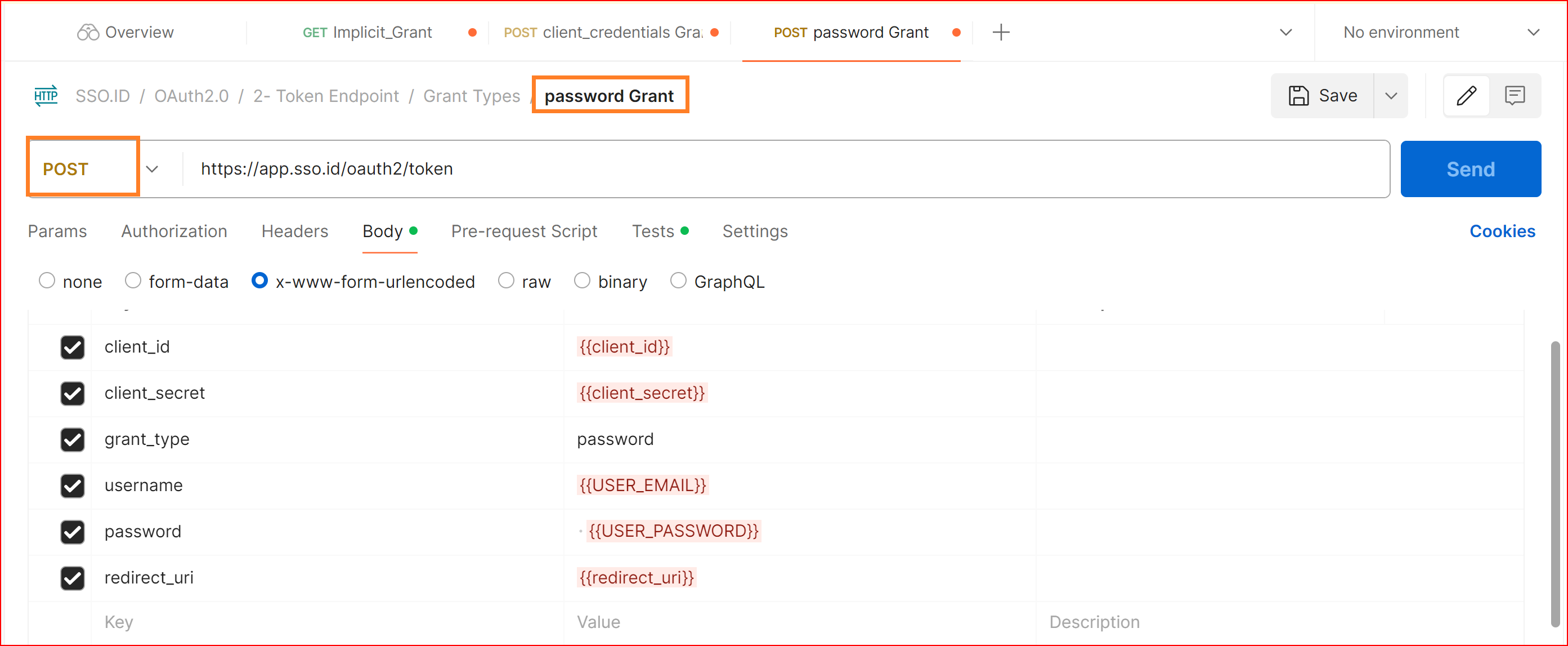
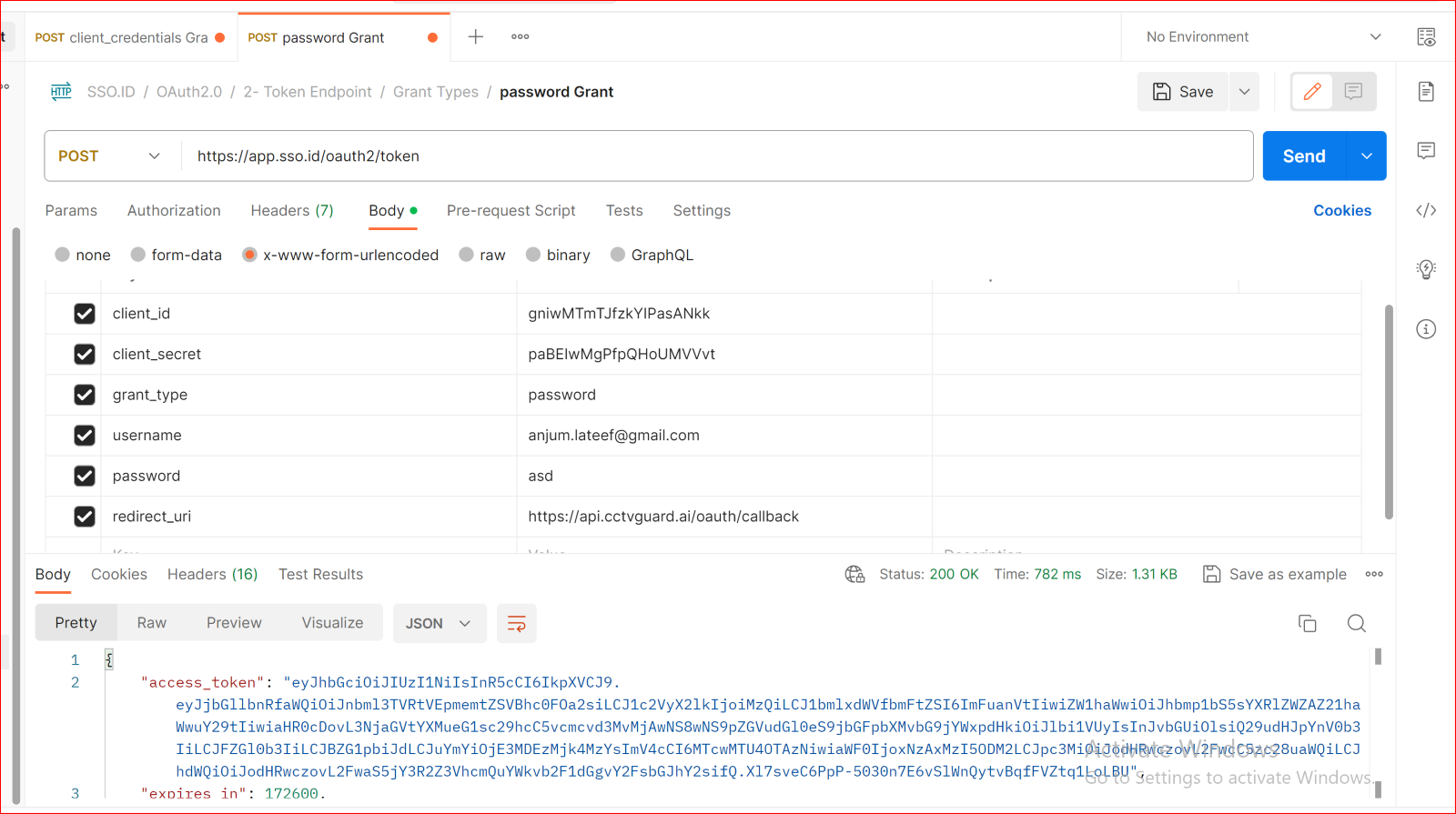
POST Password Grant
https://api.sso.id/api/oauth2/token
Resource Owner Password Credentials Grant
Authenticates users directly via username and password payload.
Body URL encoded
client_id: {{client_id}}
client_secret: {{client_secret}}
grant_type: password
username: {{USER_EMAIL}}
password: {{USER_PASSWORD}}
Standard Scopes
openid: Returns OpenID Connect identity tokens (id_token) with verified subject claims.
profile: Returns name, preferred username, avatar, and metadata.
email: Returns verified email address and email_verified boolean.
offline_access: Returns a refresh_token to renew access tokens without user re-authentication.
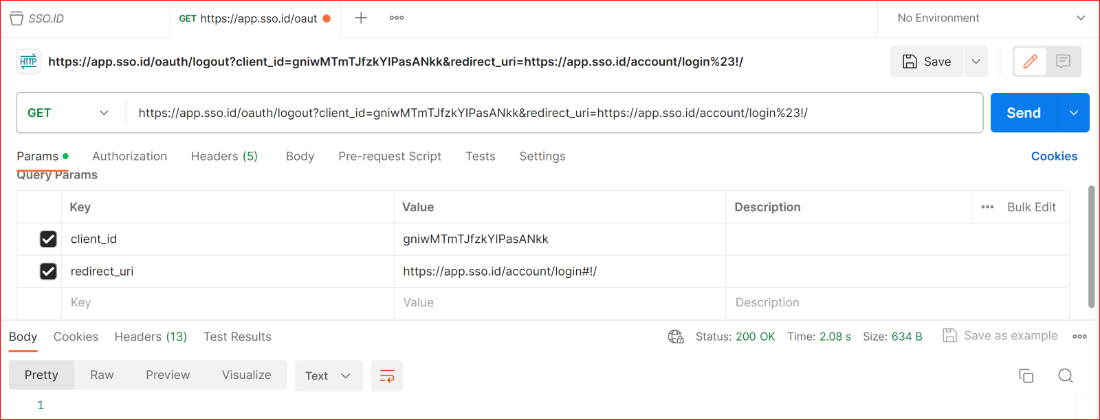
Single Logout Endpoint
Terminates user sessions across all connected applications and cleans up multi-account cookies.
GET / POST Logout
https://auth.sso.id/oauth/logout?client_id={{client_id}}&post_logout_redirect_uri={{your_app_redirect_uri}}
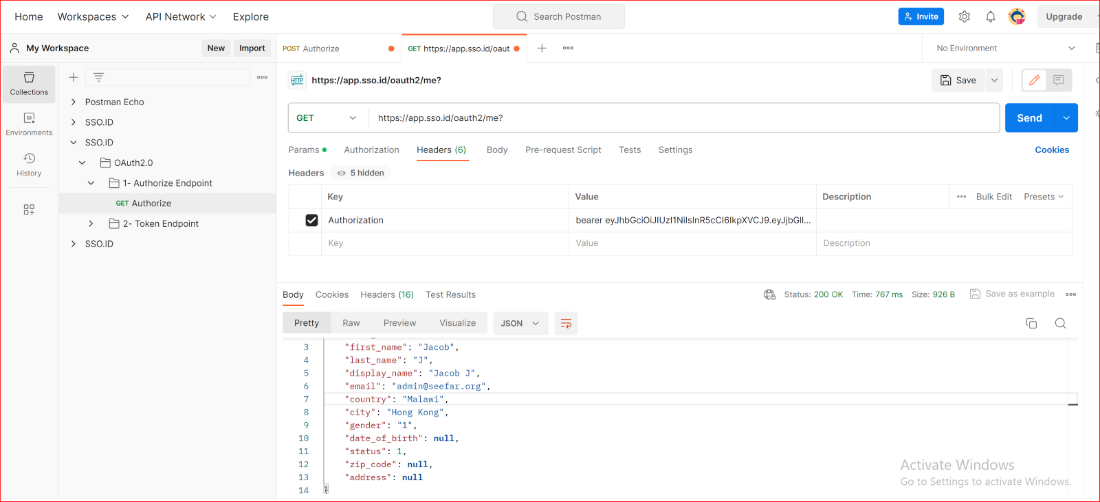
UserInfo / Profile Endpoint
Retrieve authenticated user profile and organizational roles:
https://api.sso.id/api/oauth2/userinfo
Headers
Authorization: Bearer {{access_token}}
Language-Specific Authentication
https://auth.sso.id/oauth/authorize?client_id={{client_id}}&response_type=code&redirect_uri={{your_app_redirect_uri}}&language=en-US
Supported Language Codes
English: en-US | French: fr-FR | Pashto: ps-AF | Farsi: fa-IR | Urdu: ur-PK
General Configuration with OIDC Protocol
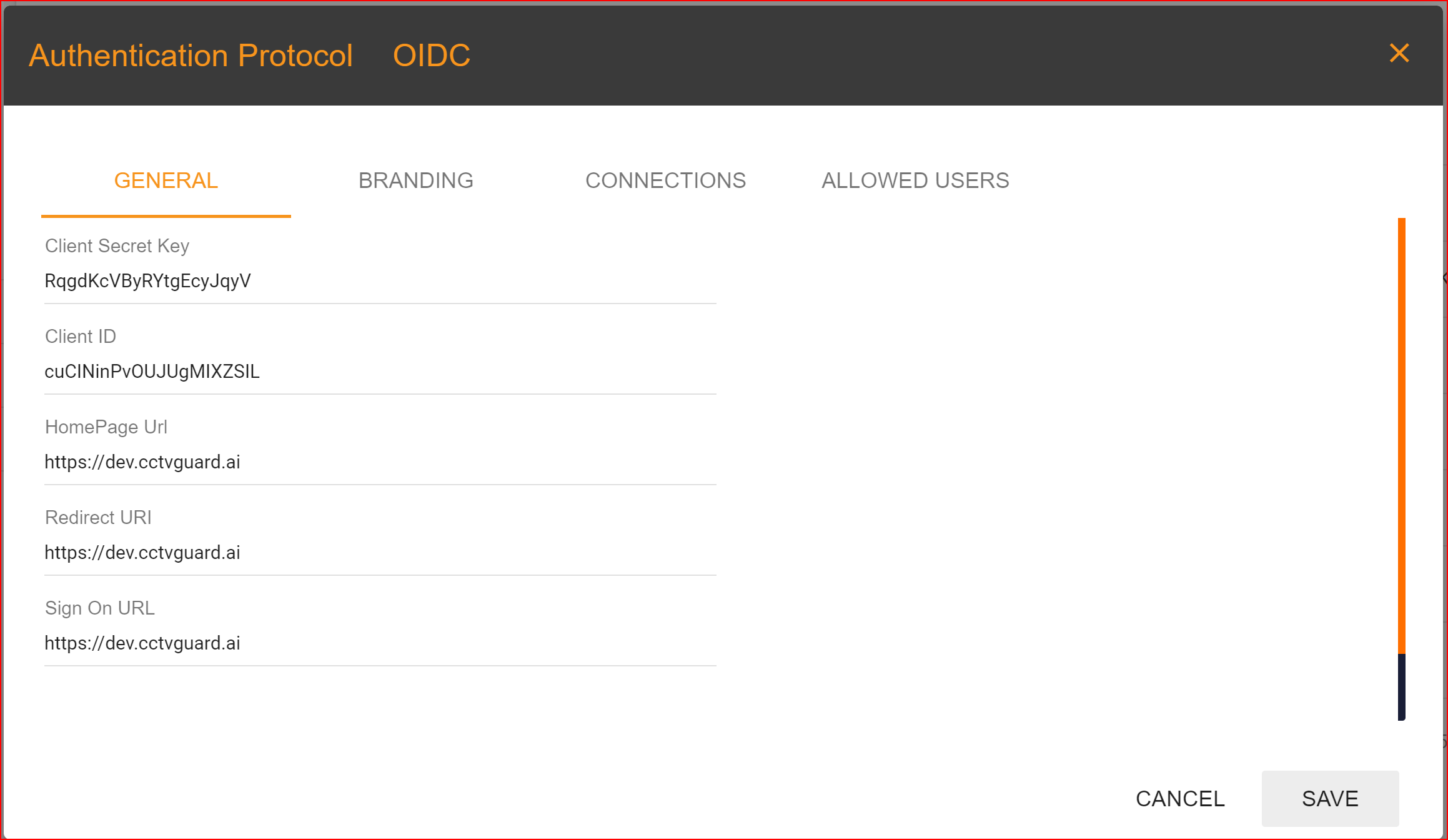
General
Client Secret Key: The Client Secret Key is automatically generated by the SSO.ID system.
Client ID: It is also generated by the system.
Homepage URL: Clients set this URL, and it should be the complete homepage URL of your website.
Redirect URI: In the general settings, one of the most important tasks is to configure your redirect URI. This step is necessary and mandatory, so please set your application's redirect URI with great care. In Single Sign-On Identity (SSO.ID) implementations, specifying multiple redirect URIs for an application can be a common practice to accommodate various scenarios such as different environments (development, testing, production), different client types (web, mobile, desktop), or different callback paths within the same application Within a single application, it is feasible to incorporate multiple redirect URIs, with the initial URI being established as the default option.
SIGN ON URL: This is an optional URL, it's not mandatory.
Logout URL: You can provide the logout URL for your website or application, it's also optional.
BRANDING
In the branding section, you will configure a logo for your created application and select the primary and background colors. These choices will be displayed on your application's interface.
CONNECTIONS
DEFAULT: In the default connection settings, log in to your application using a username and password.
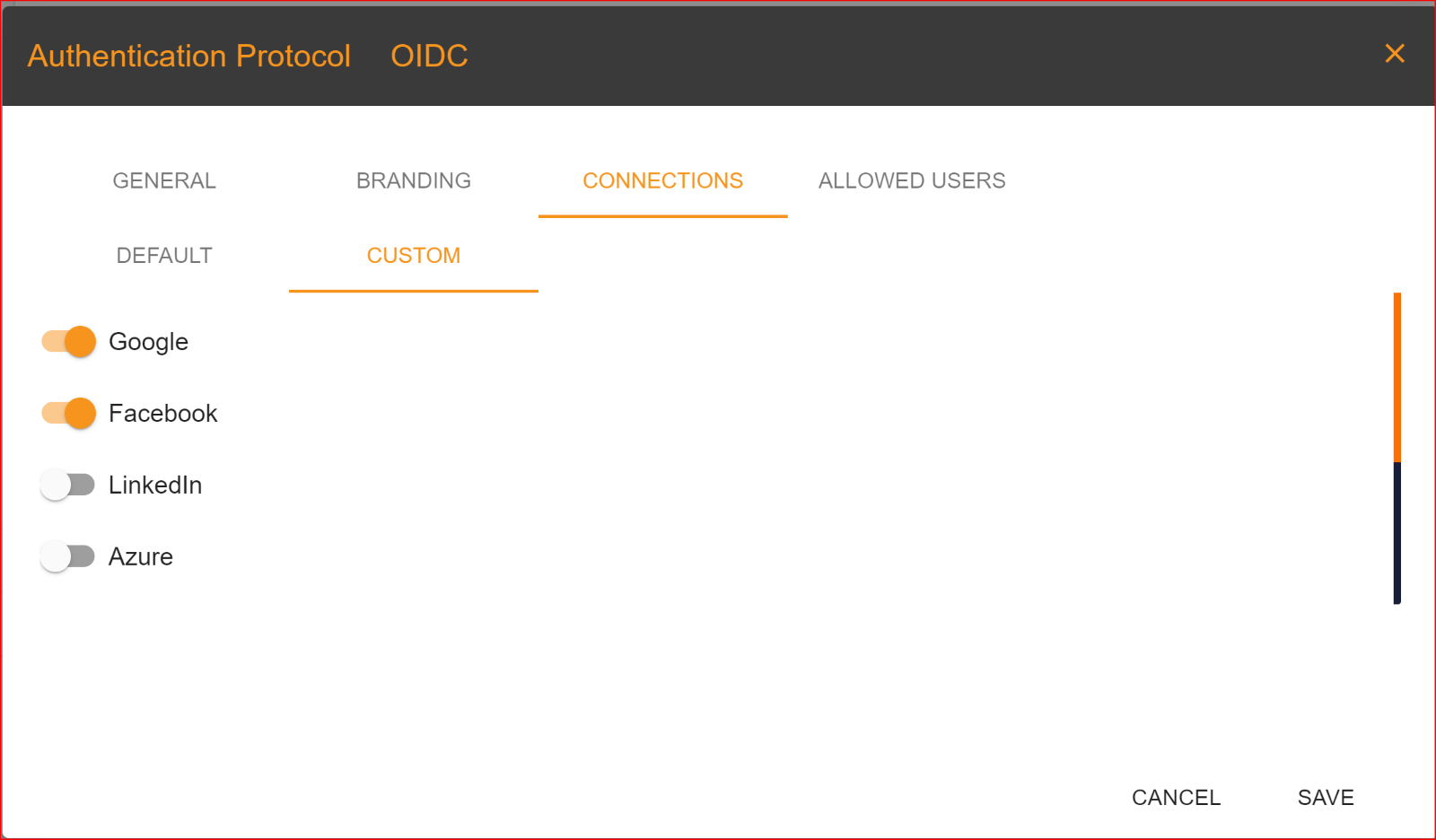
CUSTOM: Go to the custom tab and choose the connections you want to use for logging into your application. You can set up multiple connections for the login process. SSO.ID offers four types of connections, which are:
- Azure
Please enable the connections that you want to allow.
ORAGANIZATIONS
In the 'ORGANIZATION' tab, you have the option to choose an organization from the dynamically generated list of organizations to add to your application. This feature is crucial because SSO.ID allows you to select one or more organizations in the application configuration. Organizations are consistently associated with the application. You can easily add or remove any organization with a single click. It's important to note that the same organization cannot be added more than once within the same application.
ALLOWED USERS
In the "Allowed Users" tab, you can grant access to your application to specific users of your choice. Duplicate users are not permitted. You can also assign roles to these allowed users based on their behavior and role requirements. Once you have completed the application configuration settings, click on the "Save" button.
General Configuration with SAML Protocol
A SAML-based application leverages the Security Assertion Markup Language (SAML) protocol for authentication and authorization purposes. SAML is an XML-based framework for exchanging authentication and authorization data between parties, primarily between an identity provider (IdP) and a service provider (SP).
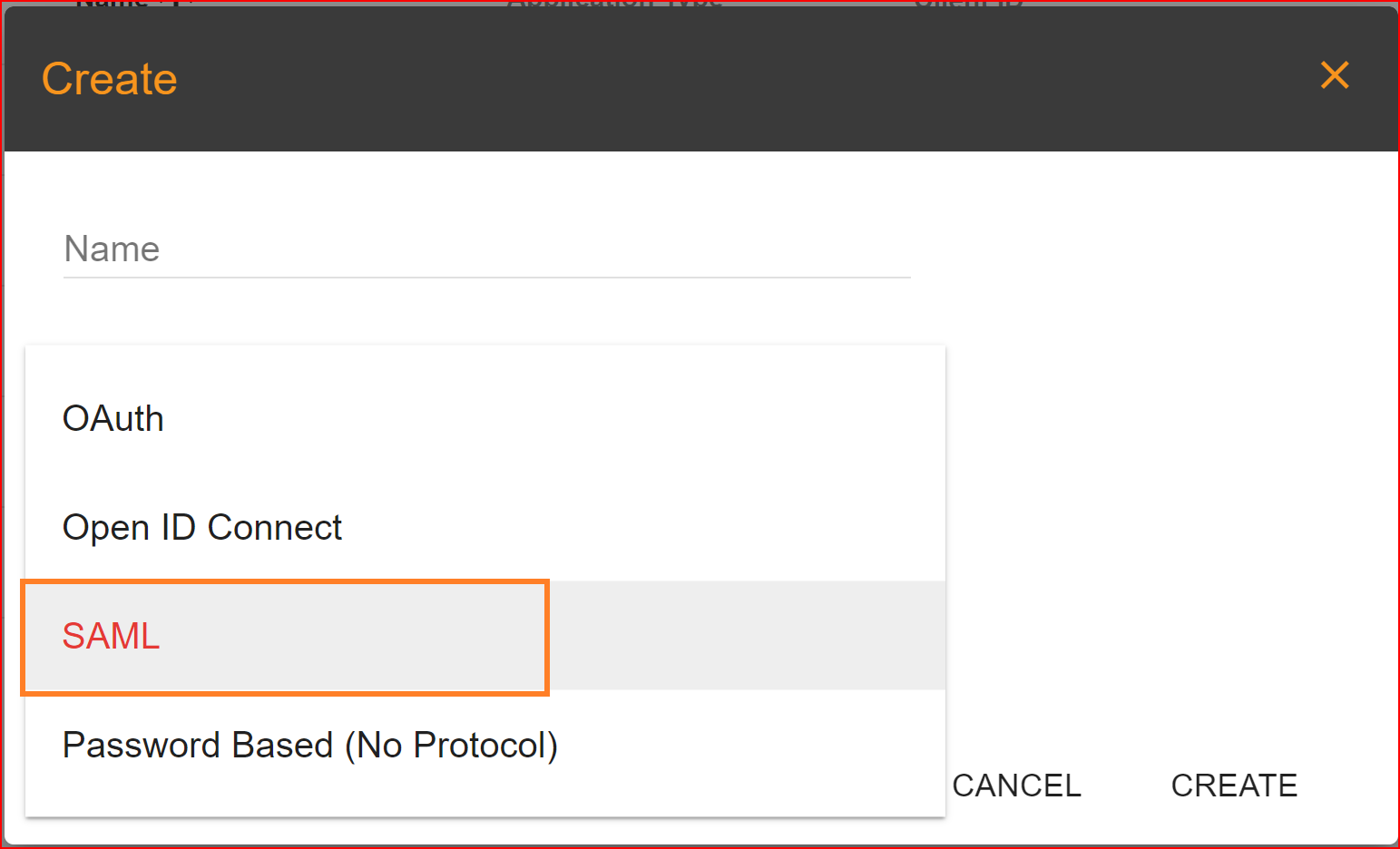
SP CONFIGURATION
Identifier (Entity ID) In Single Sign-On Identity (SSO.ID) implementations, an Identifier or Entity ID serves as a unique identifier for a service provider (SP) or an identity provider (IdP). The Entity ID is a key component of the SAML protocol, widely used for SSO authentication.
Home Page URL The Home Page URL is the destination URL within the SP where the user is redirected after successful authentication. It typically represents the main landing page or dashboard of the application or service.
Reply URL The Reply URL, also known as the Assertion Consumer Service (ACS) URL, is the endpoint within the SP where the Identity Provider (IdP) sends SAML assertions after successful authentication.
Sign On URL It's the URL to which the Identity Provider (IdP) redirects users for authentication as part of the SAML Single Sign-On (SSO) process.
SAML Assertion Response Method In the context of Single Sign-On Identity (SSO.ID) using the Security Assertion Markup Language (SAML) protocol, there are typically two types of SAML assertion response methods.
POST Binding In the POST binding, the SAML assertion response is sent as a form POST from the Identity Provider (IdP) to the Service Provider (SP). This method is commonly used for browser-based SSO flows where the IdP and SP can communicate directly with each other via HTTP POST requests.
Redirect Binding In the Redirect binding, the SAML assertion response is encoded as a URL parameter and sent as part of a redirect response from the IdP to the SP. Redirect binding is lightweight and can work in environments where POST requests might be restricted or not feasible.
Name Format The Name ID Format specifies how the subject of the SAML assertion, which typically represents the user, is structured and presented. It's crucial for interoperability between different SAML implementations, ensuring that both the IdP and SP understand how to interpret and process the user's identity
- Unspecified This format indicates that the IdP doesn't specify a particular format for the Name ID. It's the default format when no specific format is requested.
- Email The user's email address is used as the Name ID. This format is often used when the user's email serves as a unique identifier.
- Transient A transient identifier generated by the IdP is used as the Name ID. This identifier is unique for each session and is not persistent across sessions.
- Persistent A persistent identifier assigned by the IdP is used as the Name ID. This identifier remains consistent for the same user across different sessions.
Relay state The Relay State parameter allows the Service Provider (SP) to maintain state information and control the user's post-authentication behavior.
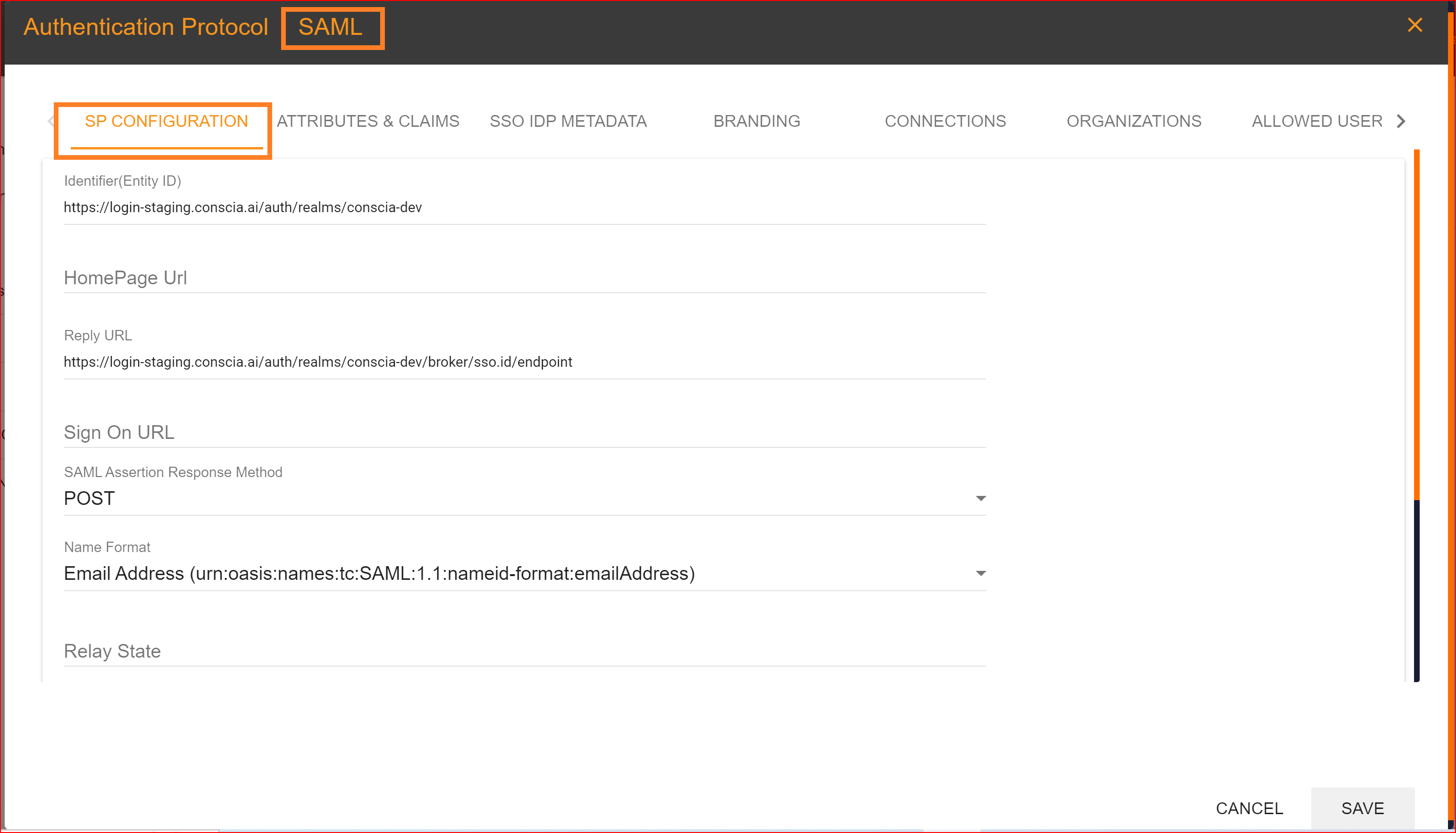
ATTRIBUTES & CLAIMS
In SAML (Security Assertion Markup Language) configuration as an Identity Provider (IDP), "Attributes" and "Claims" play significant roles in defining what information about the user should be included in the SAML assertion sent to the Service Provider (SP).
Attributes: Attributes are pieces of information about the user that the IDP can provide to the SP. These can include things like the user's name, email address, role, group membership, and any other relevant information.
Claims: In the context of SAML, claims are assertions made by the IDP about the user. These claims are statements about the user's identity or attributes. Claims can include information such as the user's identity, authentication method, and any other relevant information.
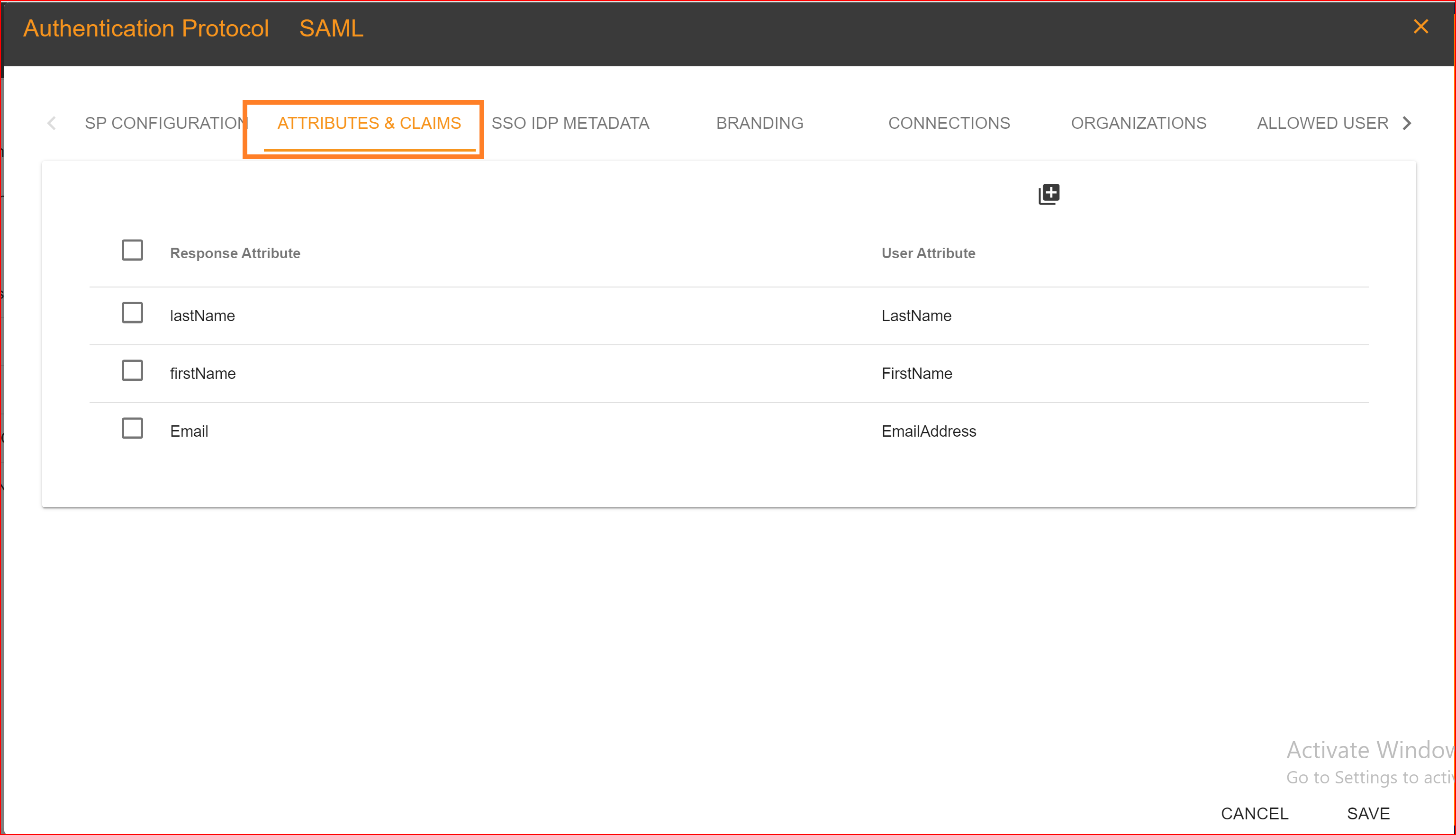
SSO IDP METADAT
In SAML (Security Assertion Markup Language), the SSO.ID (Single Sign-On Identity) Identity Provider (IDP) metadata contains information about the identity provider that can be used by service providers (SP) to establish trust and configure their systems accordingly. The SSO.ID IDP metadata typically includes.
- Entity ID A unique identifier for the identity provider.
- SSO Endpoint The URL where the service provider can send authentication requests.
- Signing Certificate Public key used by the service provider to verify the authenticity of SAML assertions.
- Encryption Certificate Public key used by the service provider to encrypt sensitive information sent to the identity provider.
- Supported SAML Bindings Specifies which SAML bindings the identity provider supports (e.g., HTTP-POST, HTTP-Redirect).
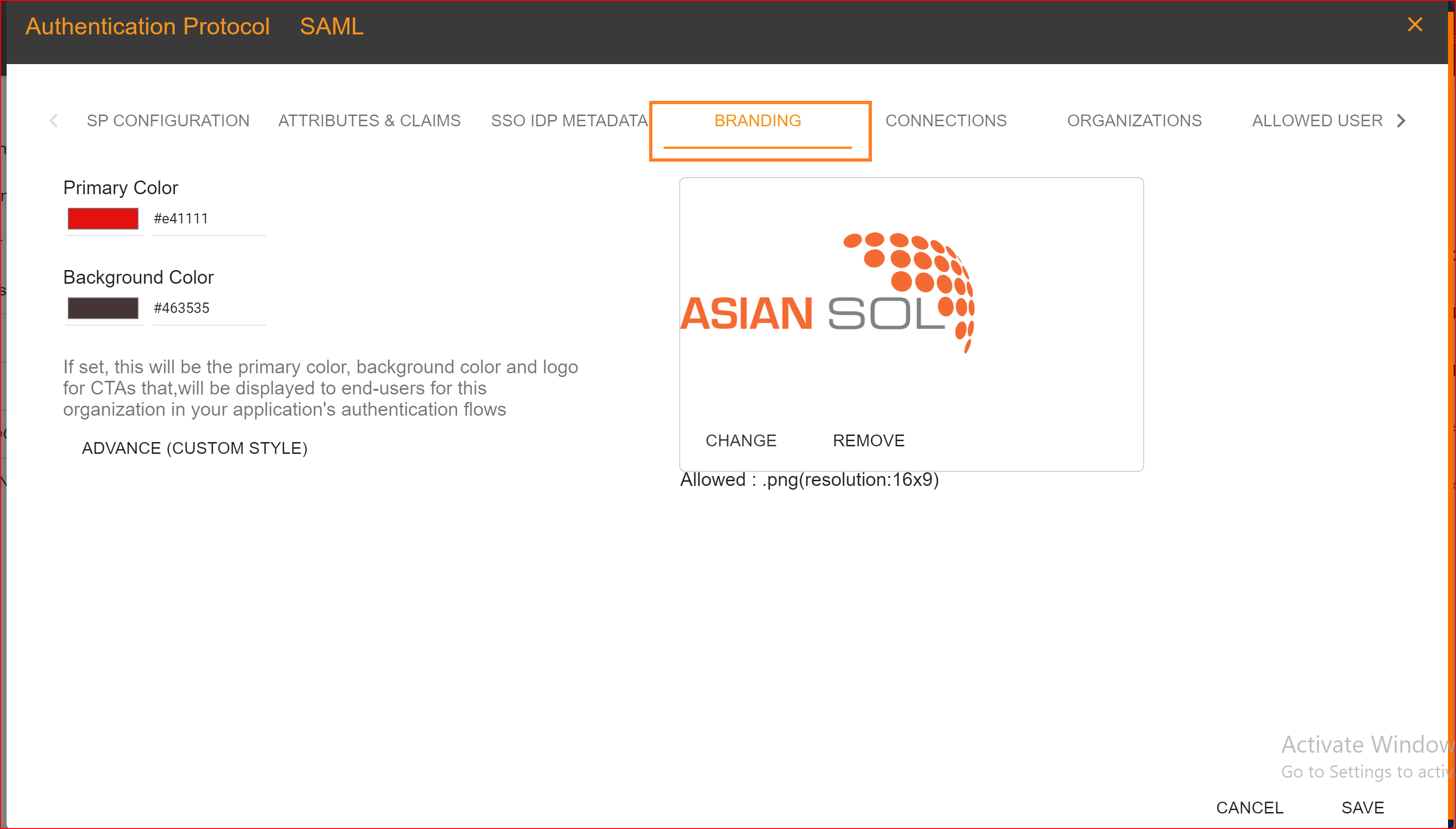
BRANDING
In the branding section, you will configure a logo for your created application and select the primary and background colors. These choices will be displayed on your application's interface.
CONNECTIONS
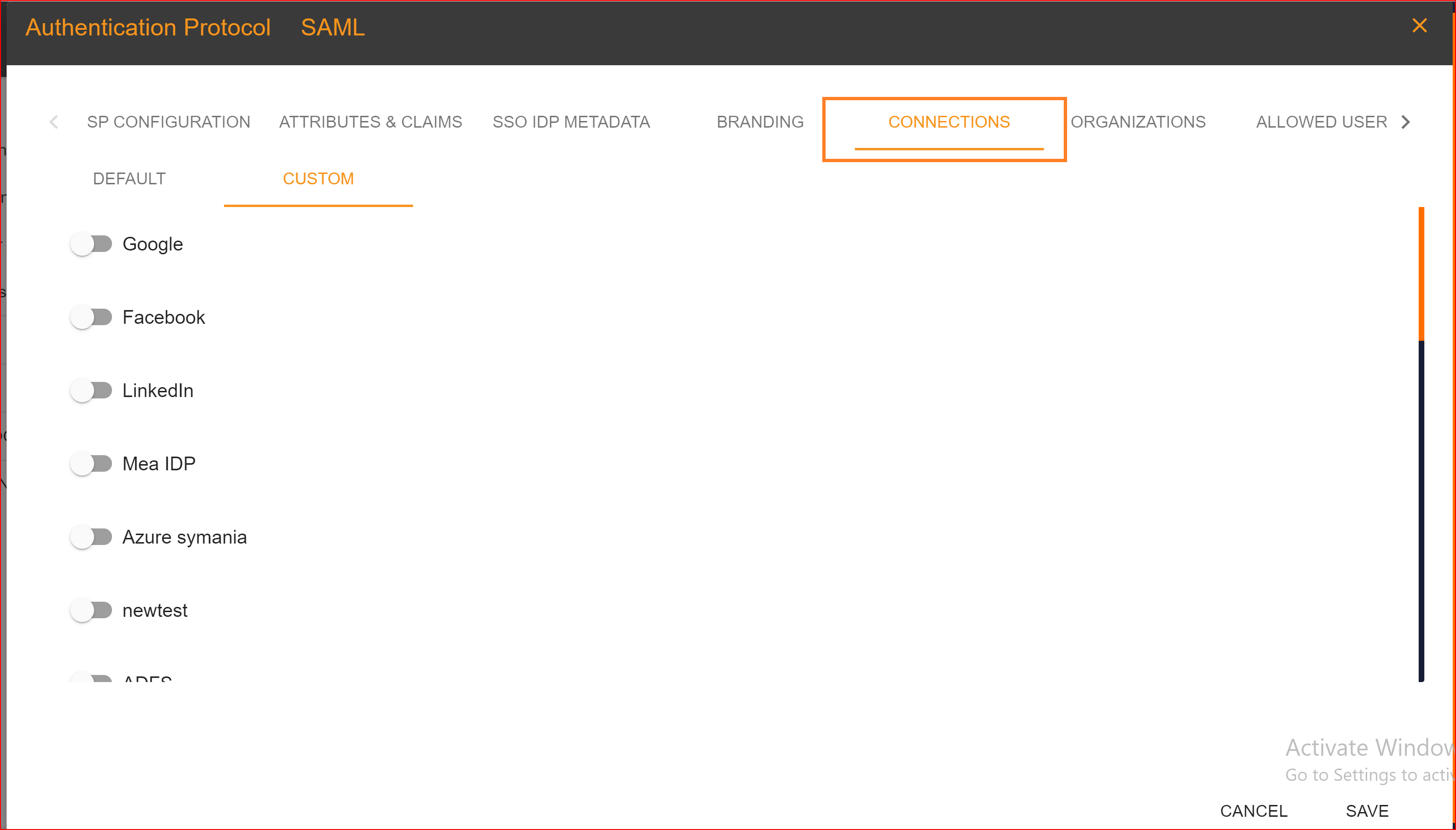
Default In the default connection settings, log in to your application using a username and password. Custom Go to the custom tab and choose the connections you want to use for logging into your application. You can set up multiple connections for the login process. SSO.ID offers four types of connections, which are.
- Azure
Please enable the connections that you want to allow.
ORAGANIZATIONS
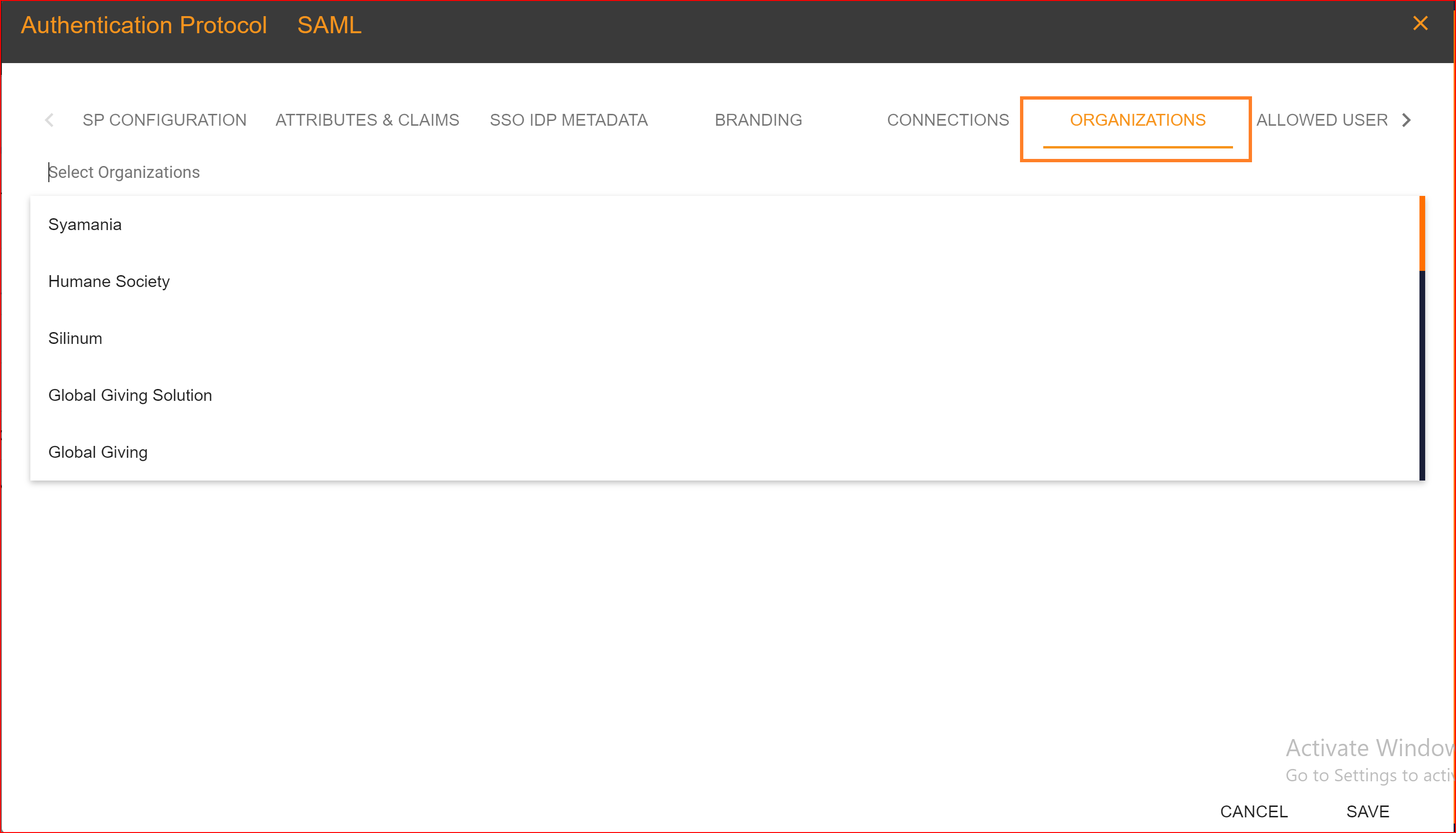
In the 'ORGANIZATION' tab, you have the option to choose an organization from the dynamically generated list of organizations to add to your application. This feature is crucial because SSO.ID allows you to select one or more organizations in the application configuration. Organizations are consistently associated with the application. You can easily add or remove any organization with a single click. It's important to note that the same organization cannot be added more than once within the same application.
ALLOWED USERS
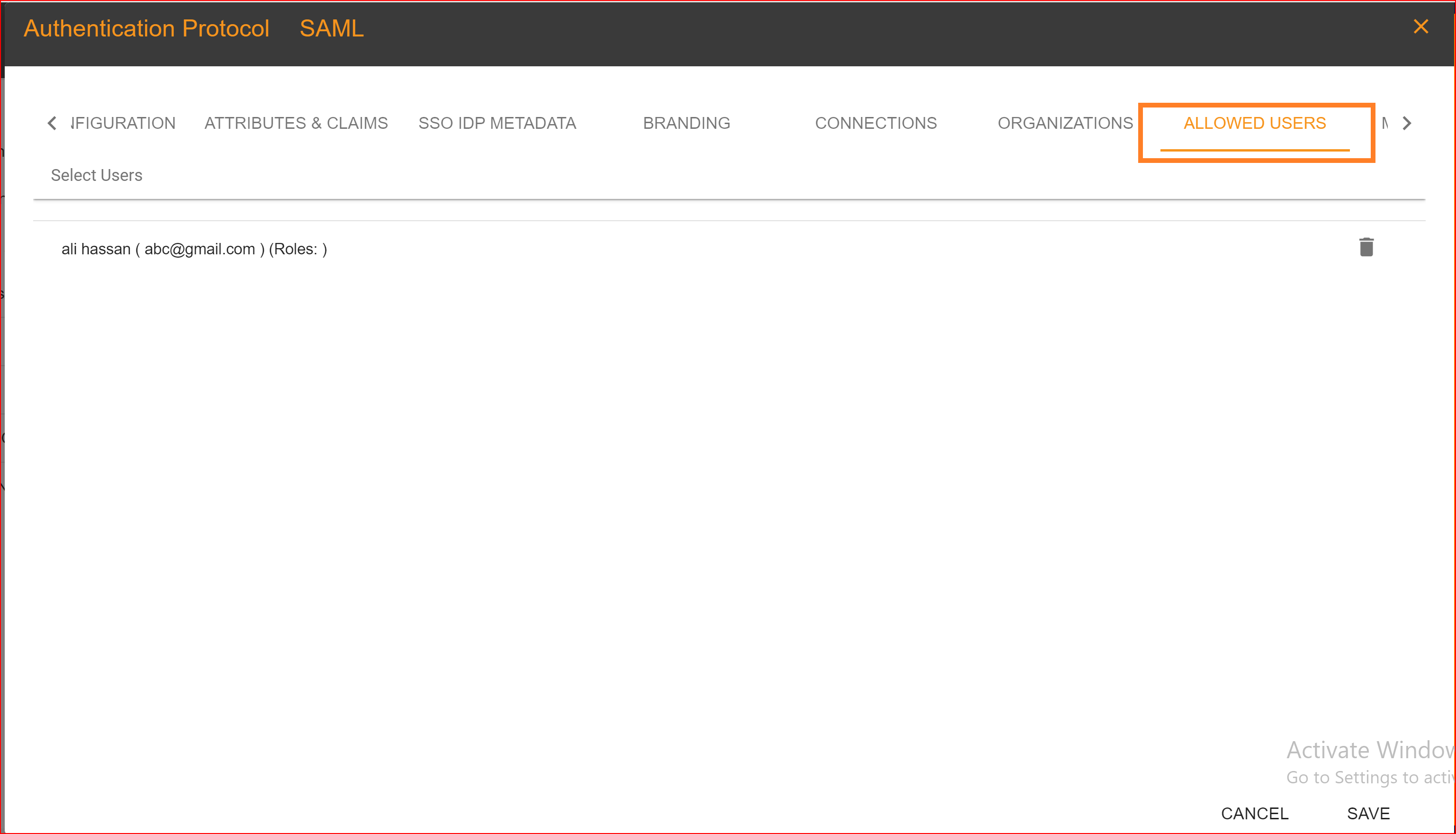
In the "Allowed Users" tab, you can grant access to your application to specific users of your choice. Duplicate users are not permitted. You can also assign roles to these allowed users based on their behavior and role requirements. Once you have completed the SAML application configuration settings, click on the "Save" button.
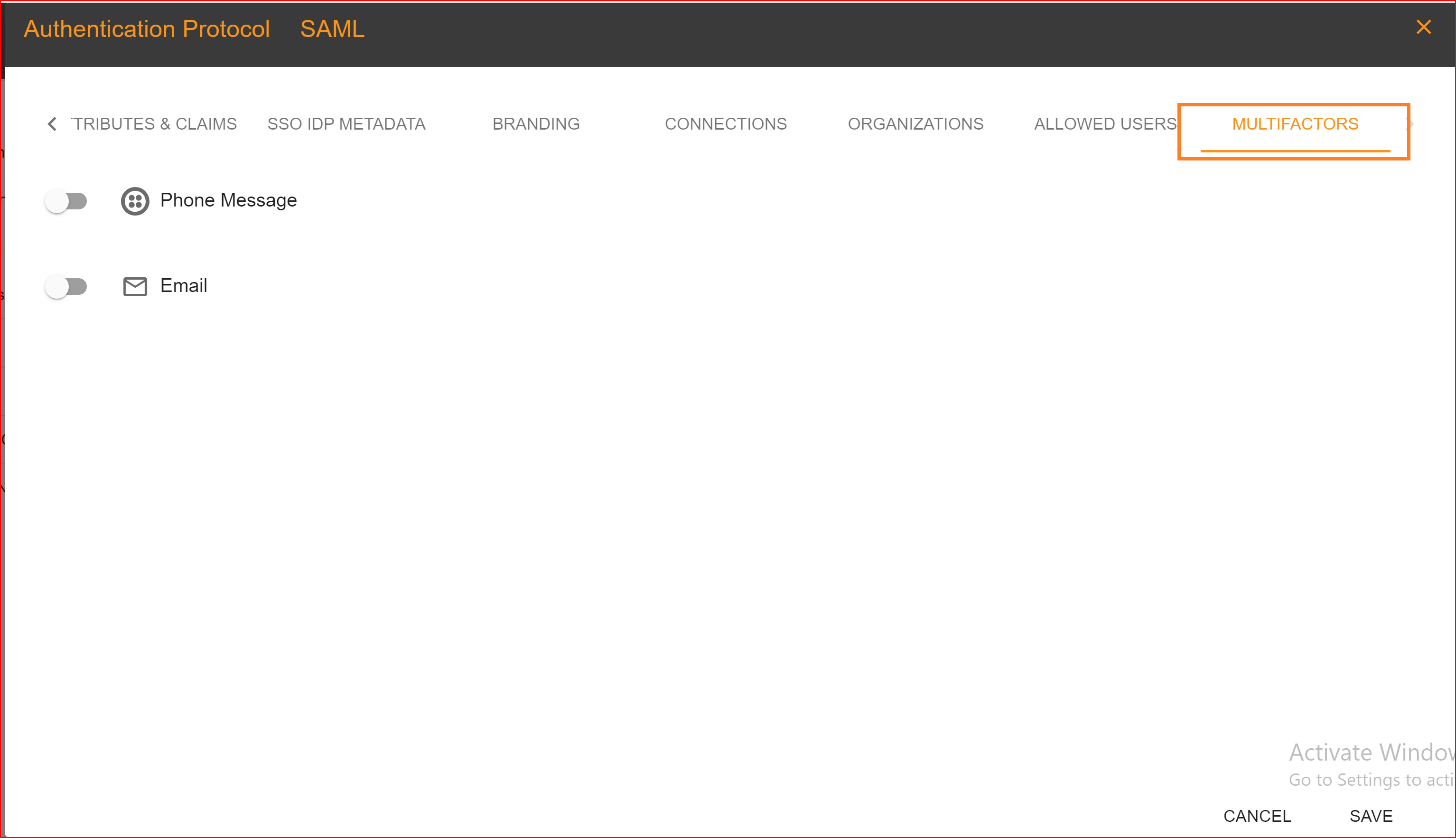
MULTIFACTORS
Multi-factor authentication (MFA), also known as two-factor authentication (2FA), is a security process in which a user is required to provide two or more separate forms of identification factors to verify their identity during the login or authentication process. The goal of MFA is to add an extra layer of security beyond just a username and password, as these can often be compromised. SSO.ID offers two authentication methods for its clients when it comes to multi-factor authentication.
- Phone Message
You can easily enable either one or two authentication methods for both your application and your organization (tenant). We provide a comprehensive guide on how to enable email addresses or phone numbers for authentication in your application and tenant.