Activity And Logs
In SSO.ID v2, User and System Activity Auditing records all authentication events, MFA verifications, token grants, password changes, and administrator actions. View real-time activity logs in the Angular Console at https://app.sso.id/admin/user-activity or query Core APIs (https://api.sso.id/api/analytics).
What we can
- Track user activity
- Search by date
- Search by day
- Search field
- Details
Track user activity
In this section, we will monitor the login and logout activities of all users. When a user logs into the SSO.ID system, their login time is recorded along with their email address, account type, the application they accessed, the current date, and their time zone. Similarly, when any user logs out of the SSO.ID system, a logout session is created for that user with the same parameters.
Search by date
You can search for past activity records of all users in SSO.ID. The system offers two fields, a start date, and an end date, to specify the time range for your search. You simply enter the start date and end date to retrieve the activity records. The system will then present you with all the activity records for all users occurring between the dates you've selected.
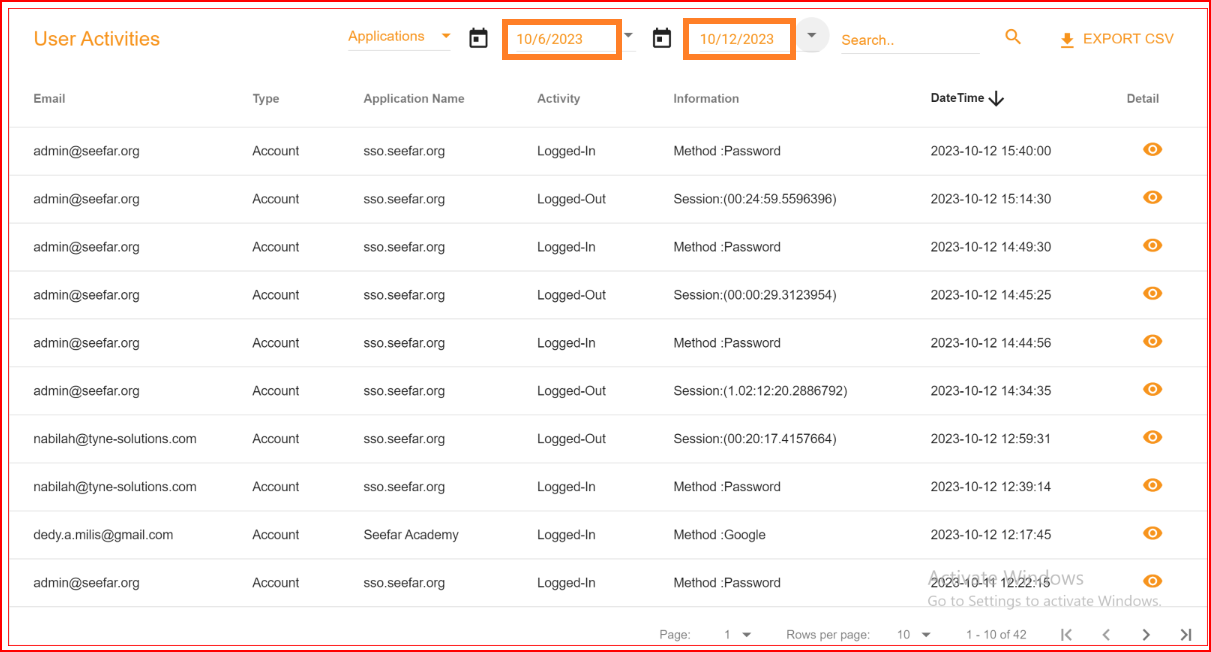
Search by day
In SSO.ID, it's straightforward to search for a single day's activity records for all users. For instance, if a user wishes to retrieve records from August 14th, they can simply enter that date in both the start date and end date fields. When the start date and end date are the same, the system will then generate the activity records specifically for that day, making it easy to find the records for August 14th.

Search field
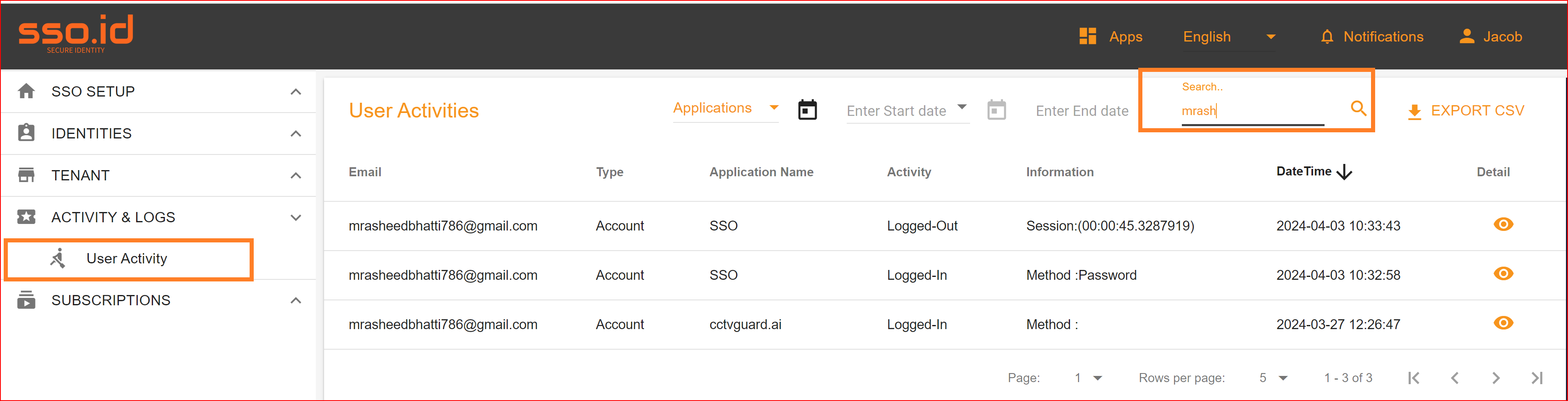
SSO.ID offers a general search bar that allows clients to search for specific user activities based on criteria such as email address, application name, and account type. The purpose of this search bar is to provide a convenient tool for clients to find records they are looking for.
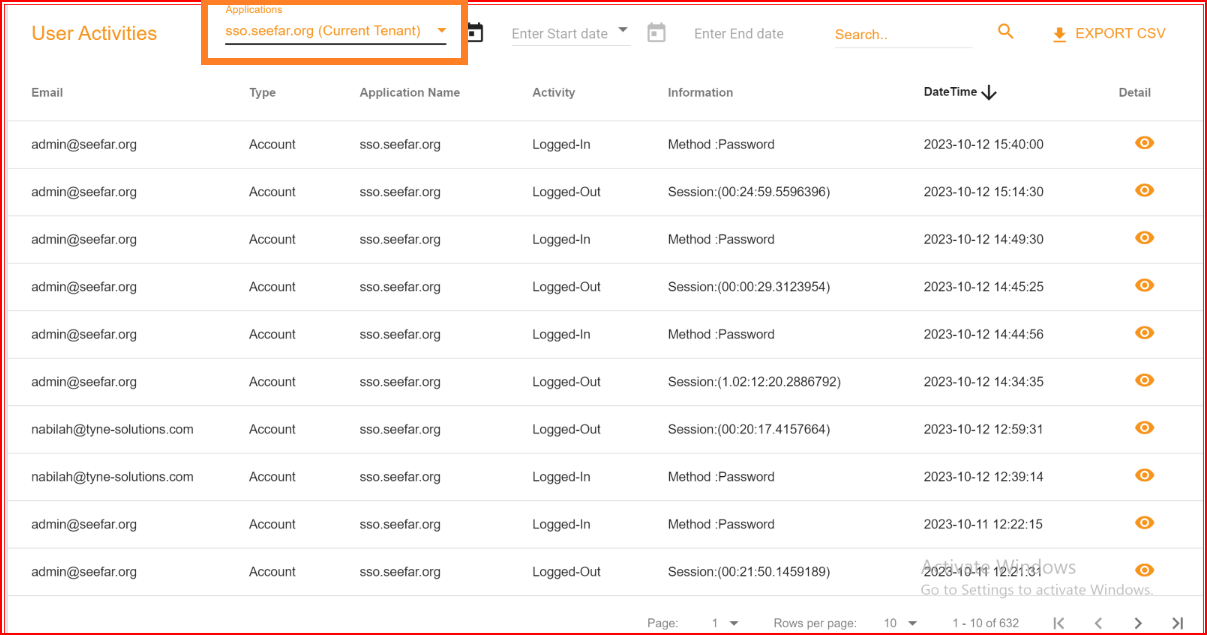
Applications list
In the user activities section, we maintain a comprehensive log of all user activity records. To offer more detailed insights into user activities, we provide an application list. By selecting a specific application from this list, SSO.ID presents you with user activity records associated with that application. When you switch to a different application in the application list, the displayed user activities also change to correspond with that selected application.
Details
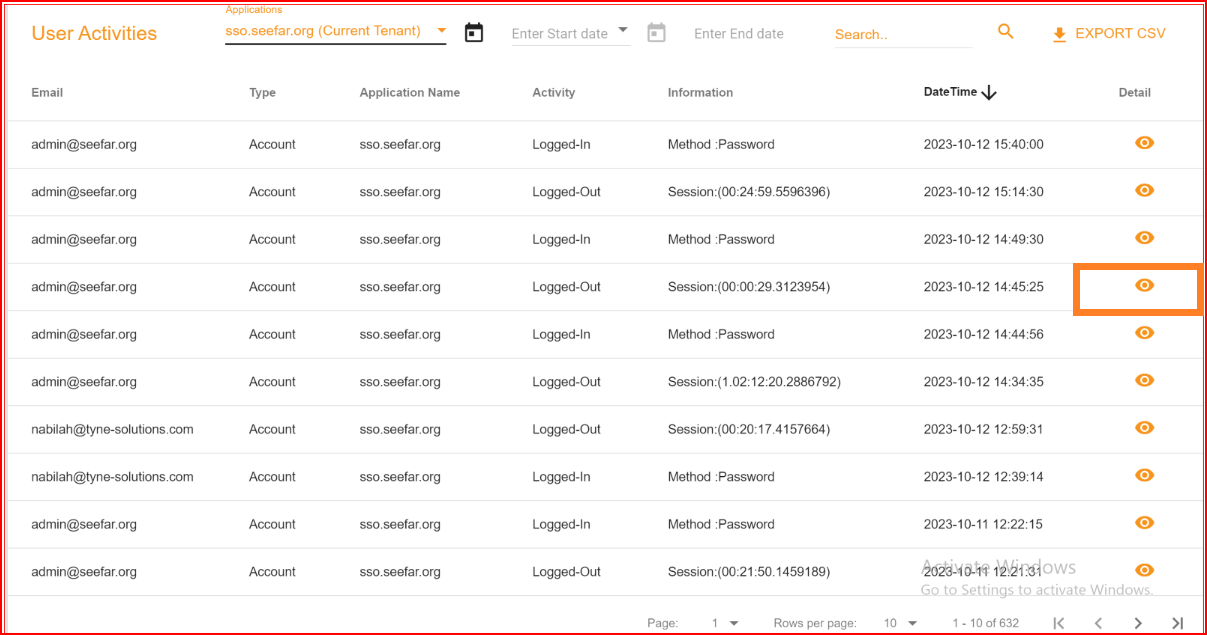
In the "Details" section, you can access more specific information about an individual user. By clicking on the Details icon, you can view details such as the user's computer IP address, browser information, the name of the application they logged into, and agent details.
Export csv
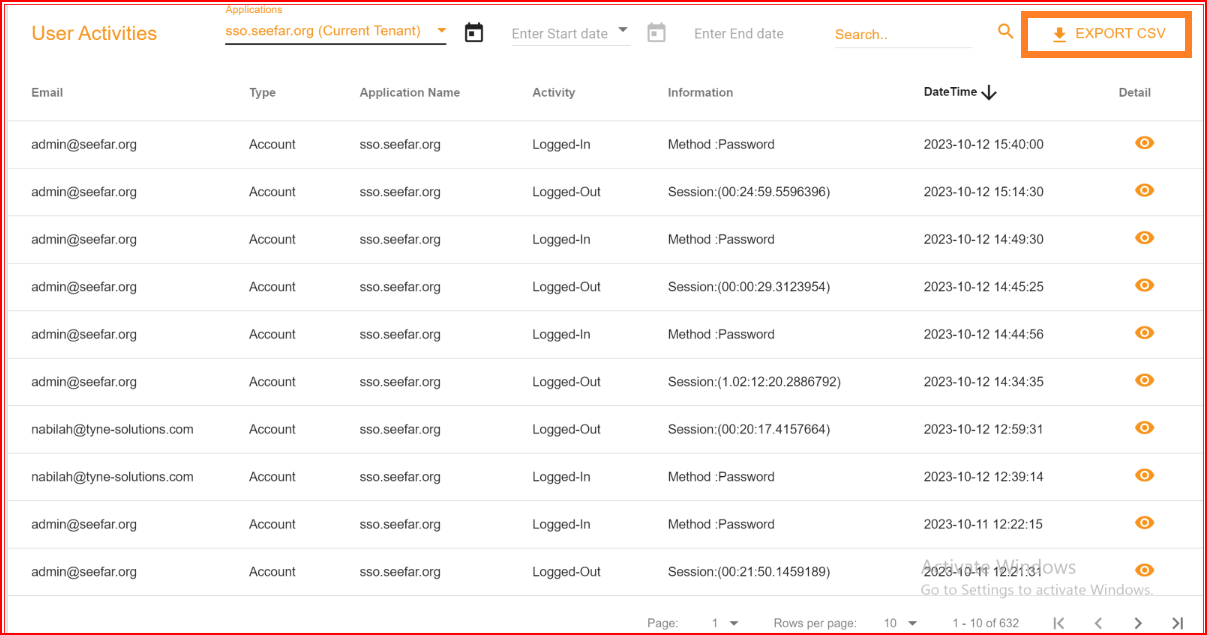
Additionally, SSO.ID has the capability to generate a CSV file that contains all the activity records for all users, complete with their respective parameters. If you wish to personally download this complete CSV file, you can simply click on the "EXPORT CSV" button, and the CSV file will be downloaded to your computer.
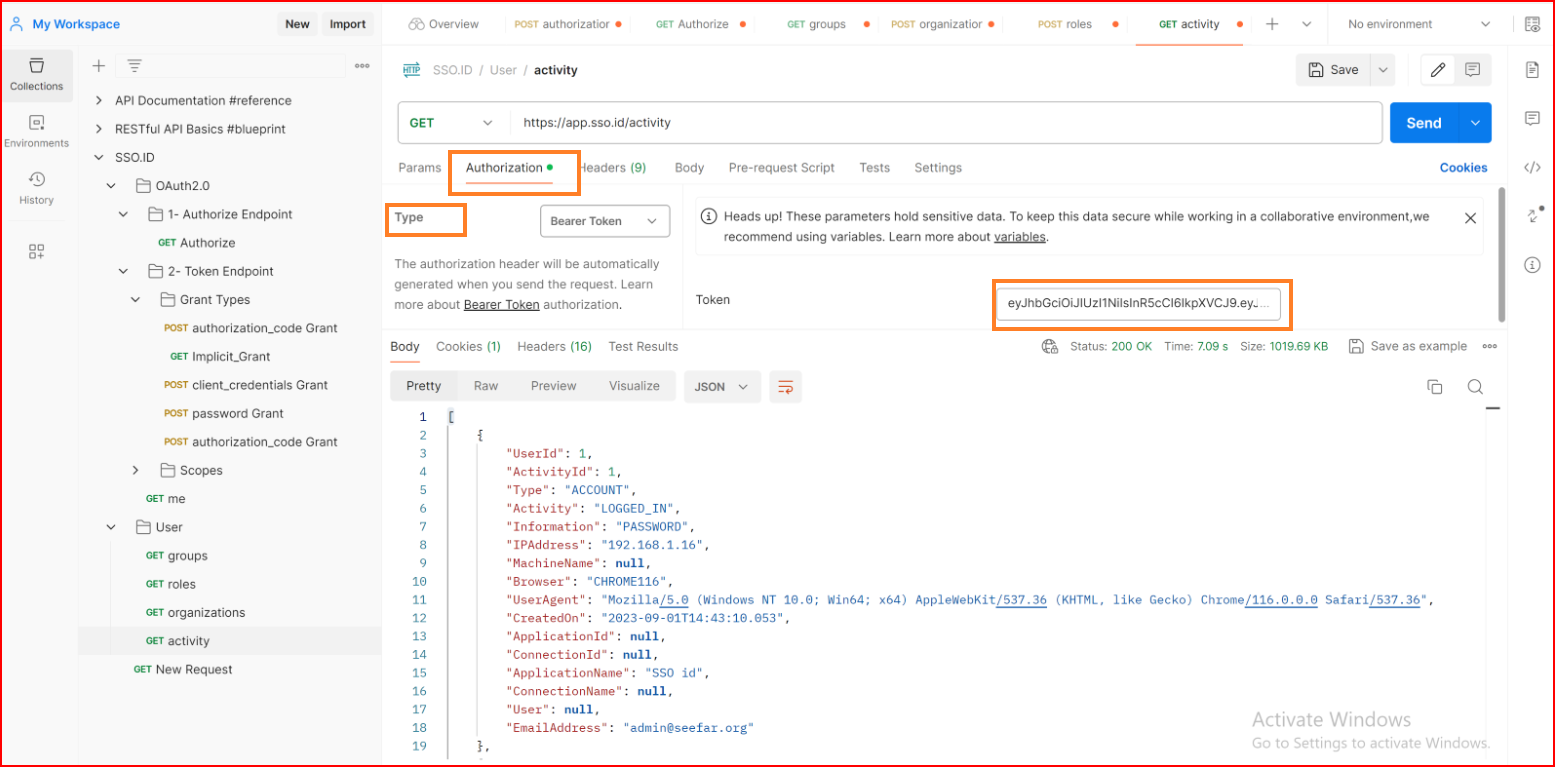
GET Activity Logs API Endpoint
Query security audit and login telemetry events:
GET: https://api.sso.id/api/analytics/activity
Headers
Authorization: Bearer {{access_token}}